Salon currency: change it and add a second one
Panel → “Services” → “Currency: € →” → “Main currency” → “Save”. Price numbers are not converted, only the sign changes. The same screen adds a currency for clients with a rate; clients switch it next to the language. Only the owner can change currencies.
Diese Lektion gibt es vorerst auf Englisch — die Übersetzung kommt.
Change the main currency
The main currency is the one used for service prices, the till and reports. A new salon gets it from where it was registered: hryvnia in Ukraine, euro in the eurozone. You can change it at any time. Only the owner can do this.
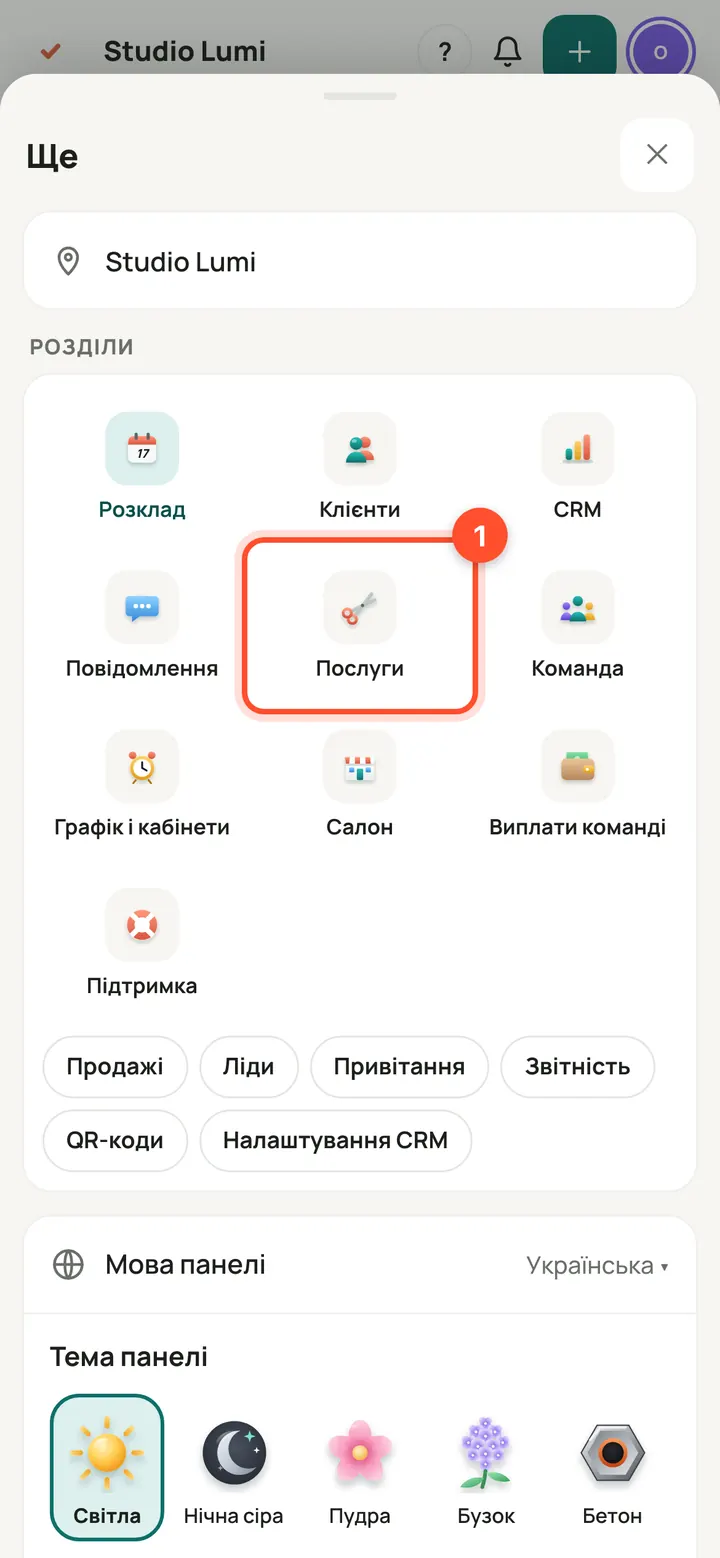
Panel → “Services”. On a phone: “More” → “Services”.
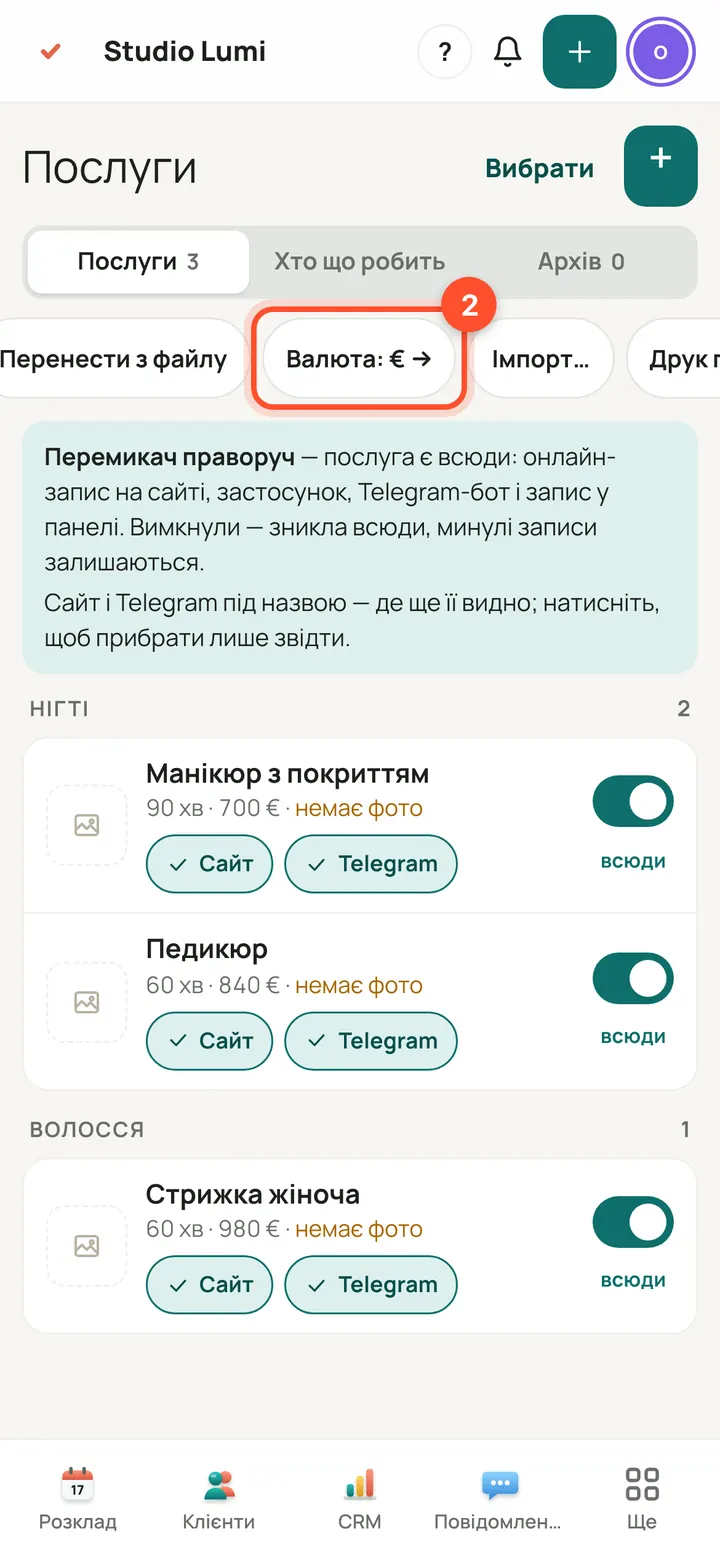
Above the list of services press “Currency: € →”. On a phone the button is in the row above the list: scroll it to the right.
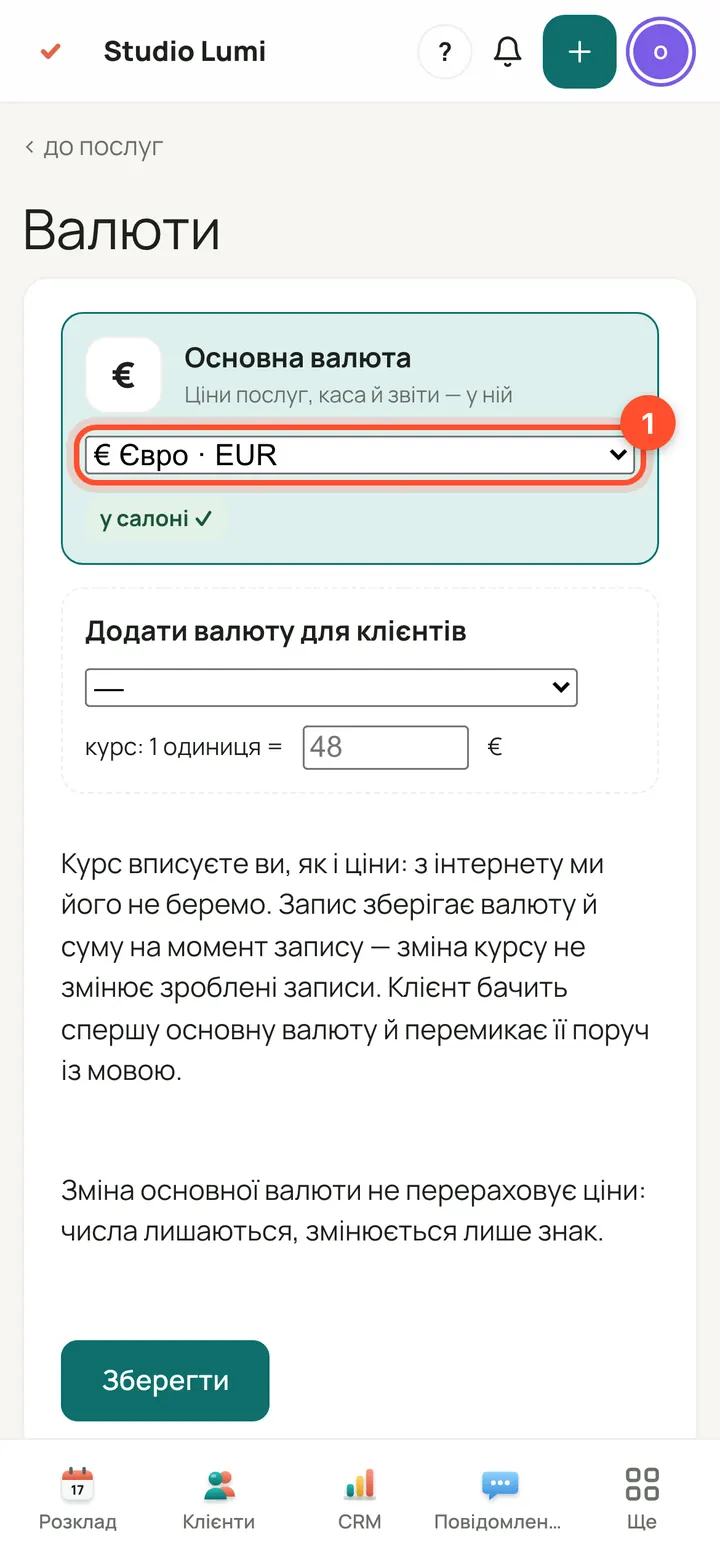
Under “Main currency” choose yours. The list has 18 currencies: euro, hryvnia, dollar, pound, zloty and others.
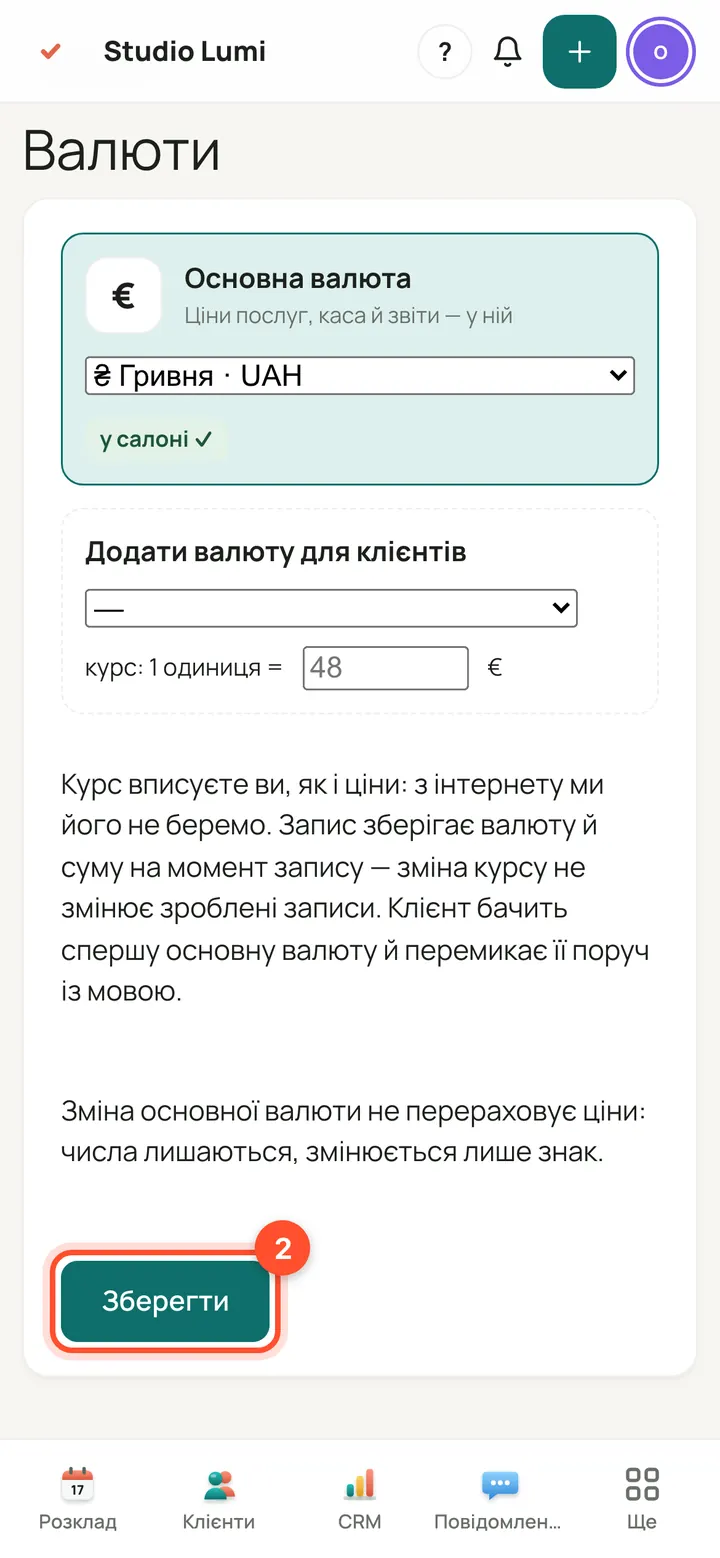
Press “Save”.
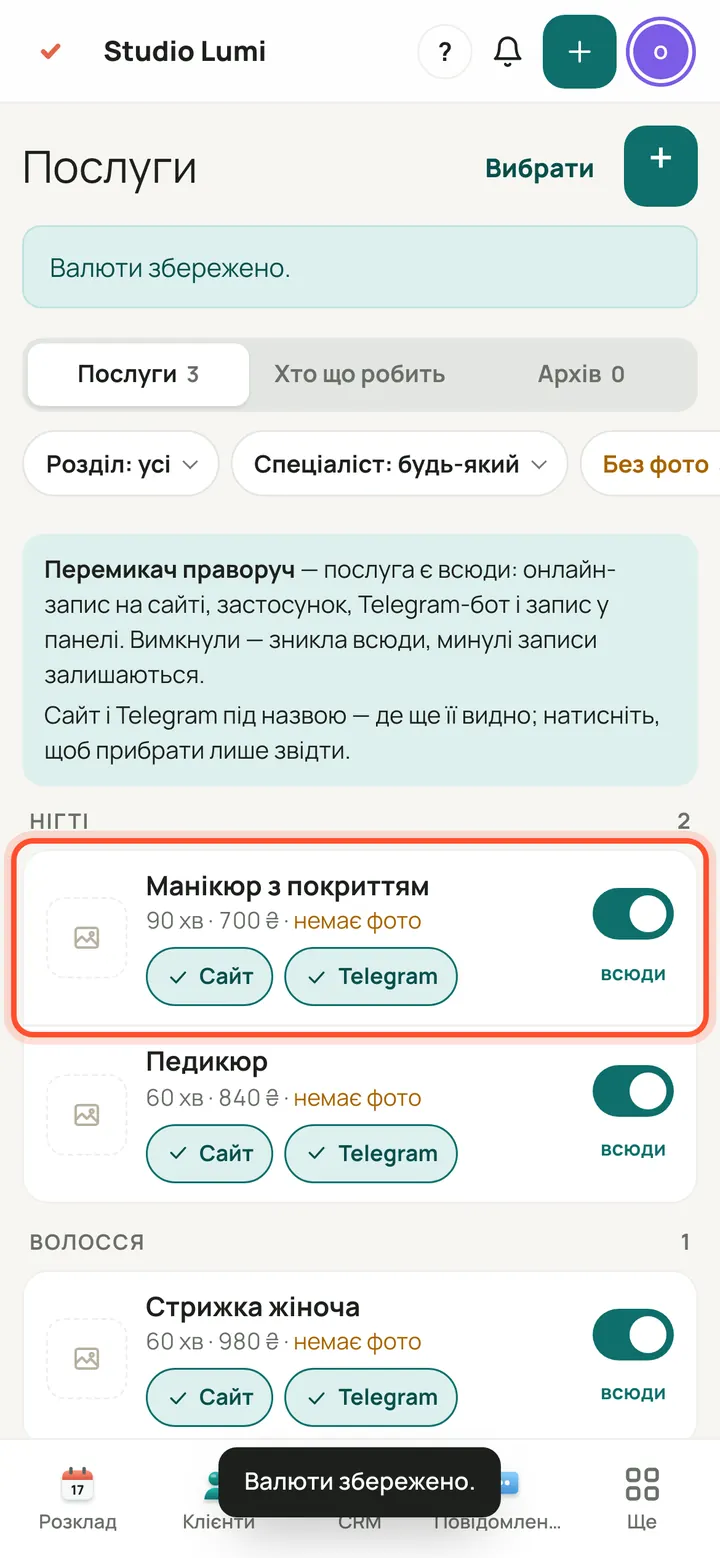
You are back in “Services” and the prices have the new sign. The numbers are not converted, only the sign changes. Check your service prices and correct them if needed.
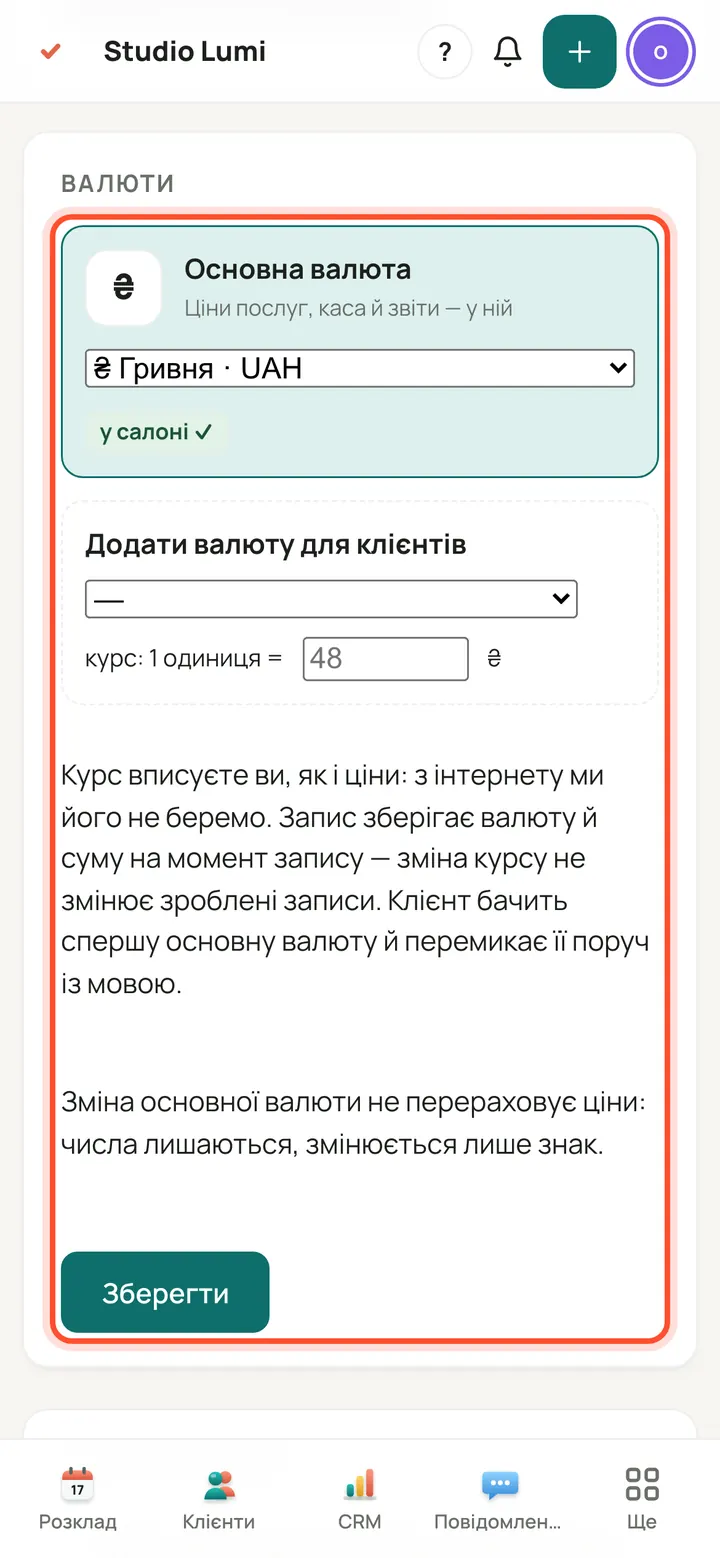
The same screen is also in the “Salon” section: the “Currencies” card.
Show clients prices in a second currency
If some clients pay in another currency, add it: clients choose which one to see prices and book in. You can add up to three currencies.
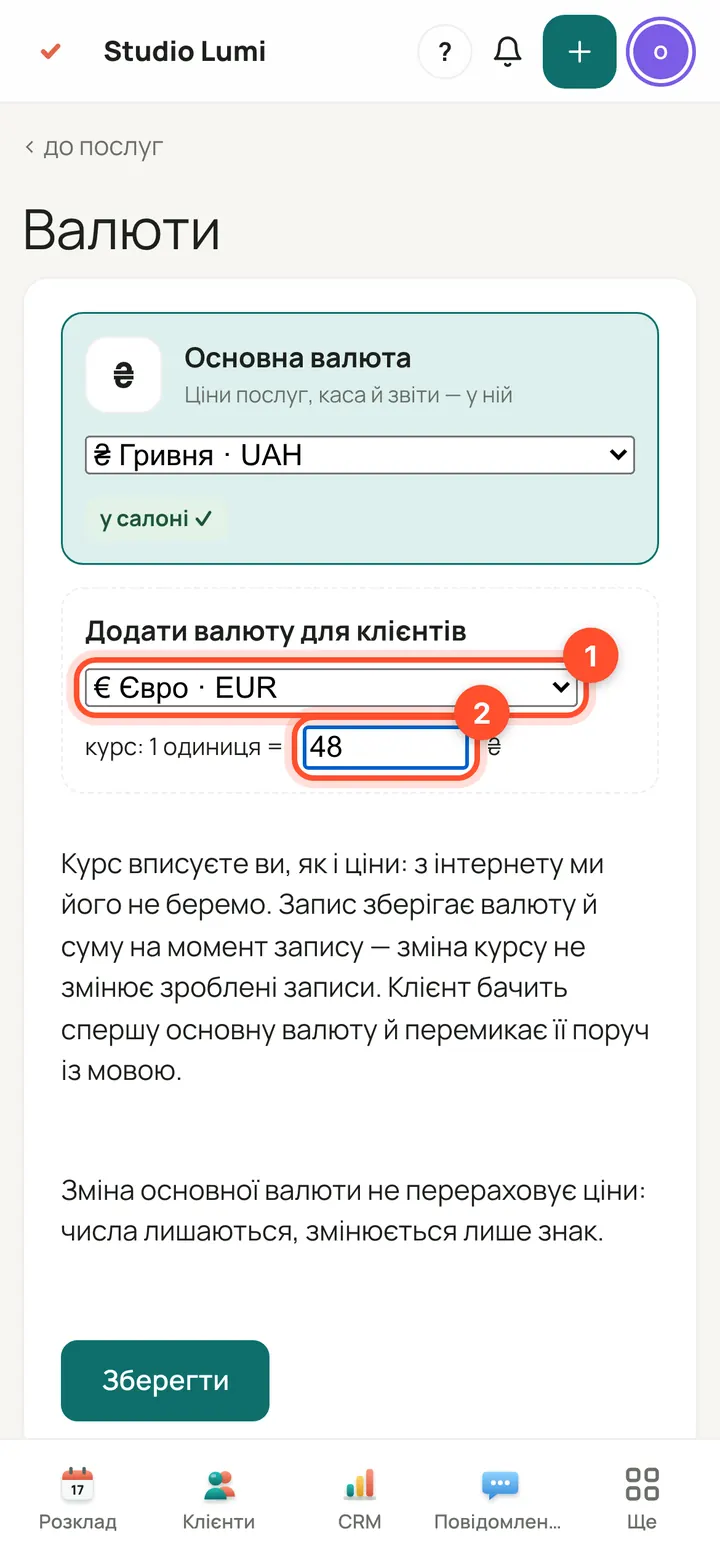
Open “Currencies” again. Under “Add a currency for clients” choose a currency and enter the rate: how much of the main currency one unit of the new one is worth. You enter the rate yourself, like prices: it is not taken from the internet.
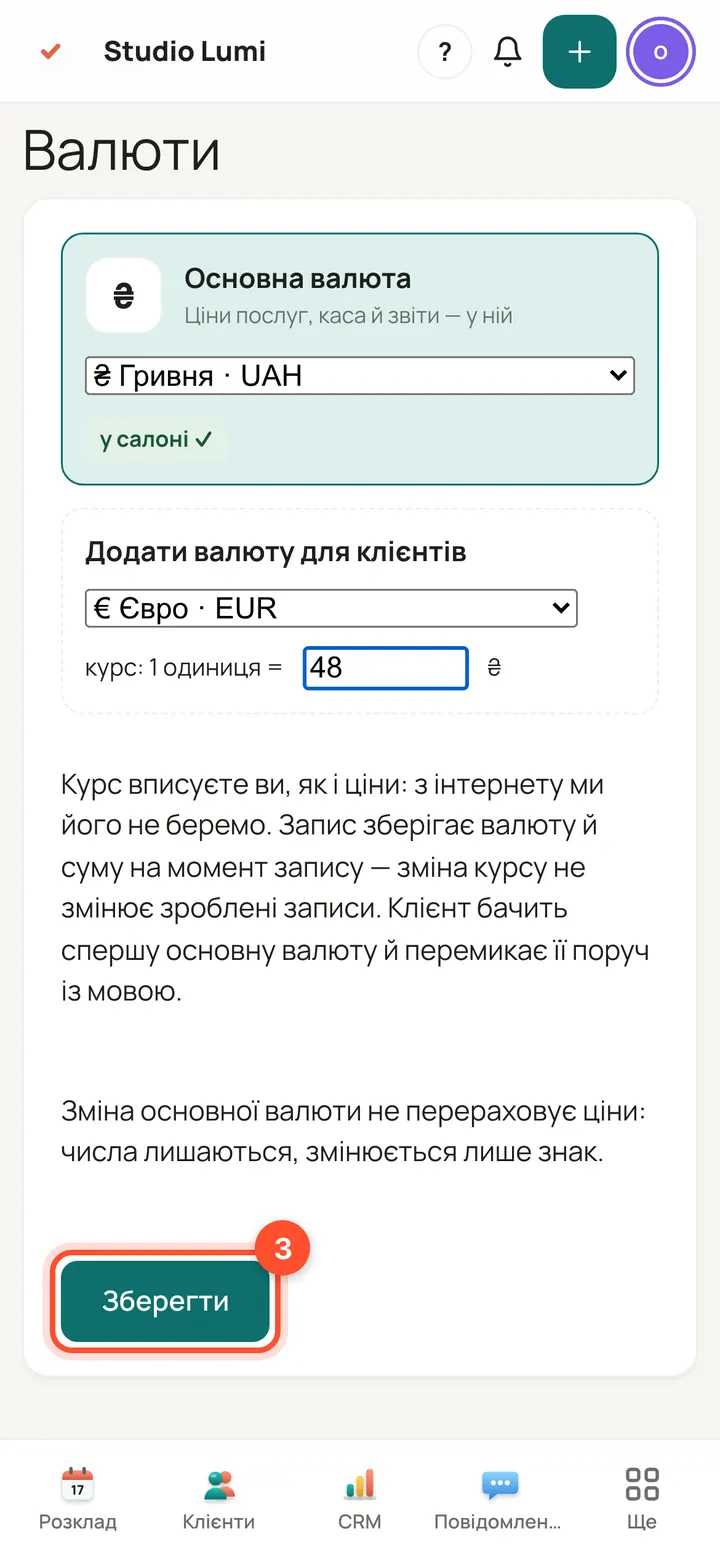
Press “Save”.
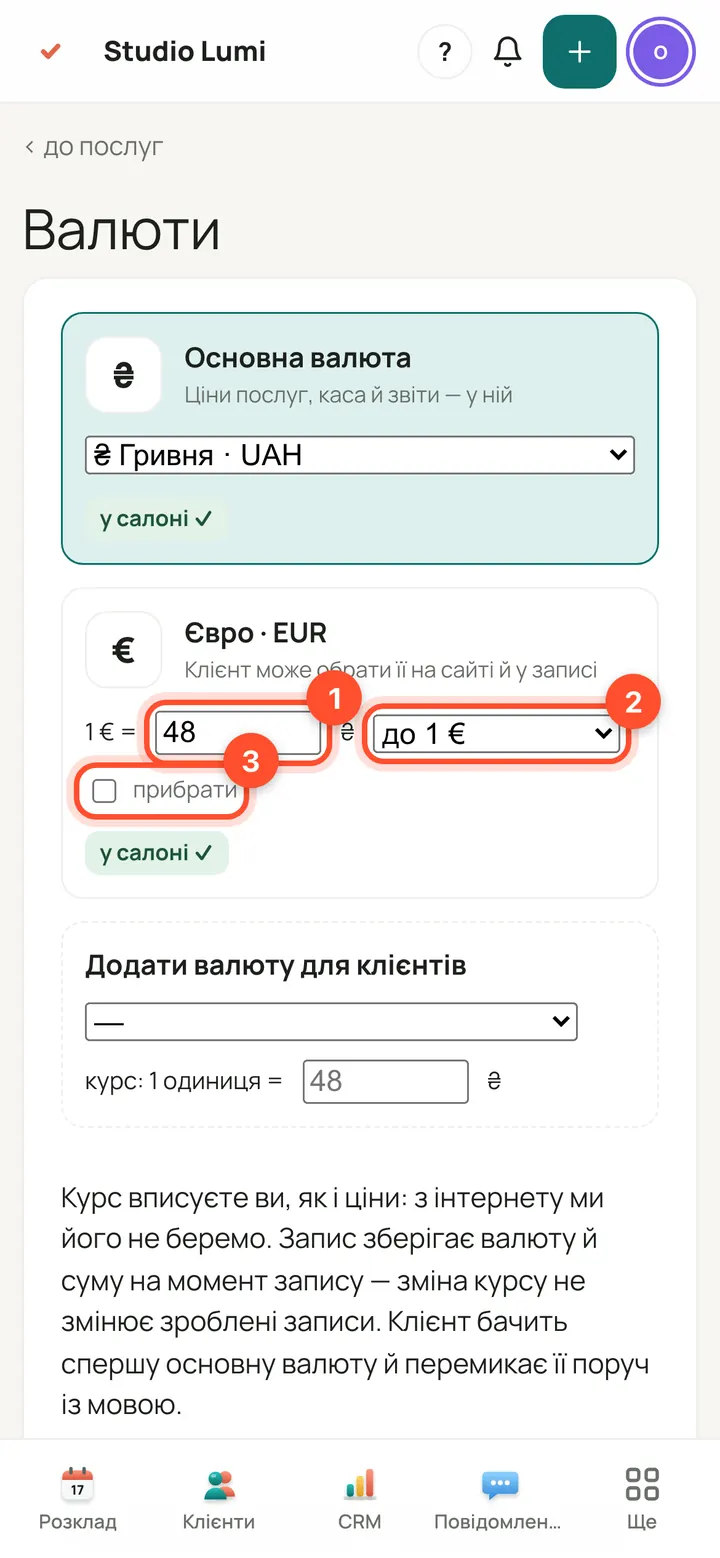
For the added currency you can change the rate and how the price is rounded up: to 1, to 0.50, to 5, to 10, or no rounding. Tick “remove” and press “Save” to remove the currency. Changing the rate does not change bookings already made.
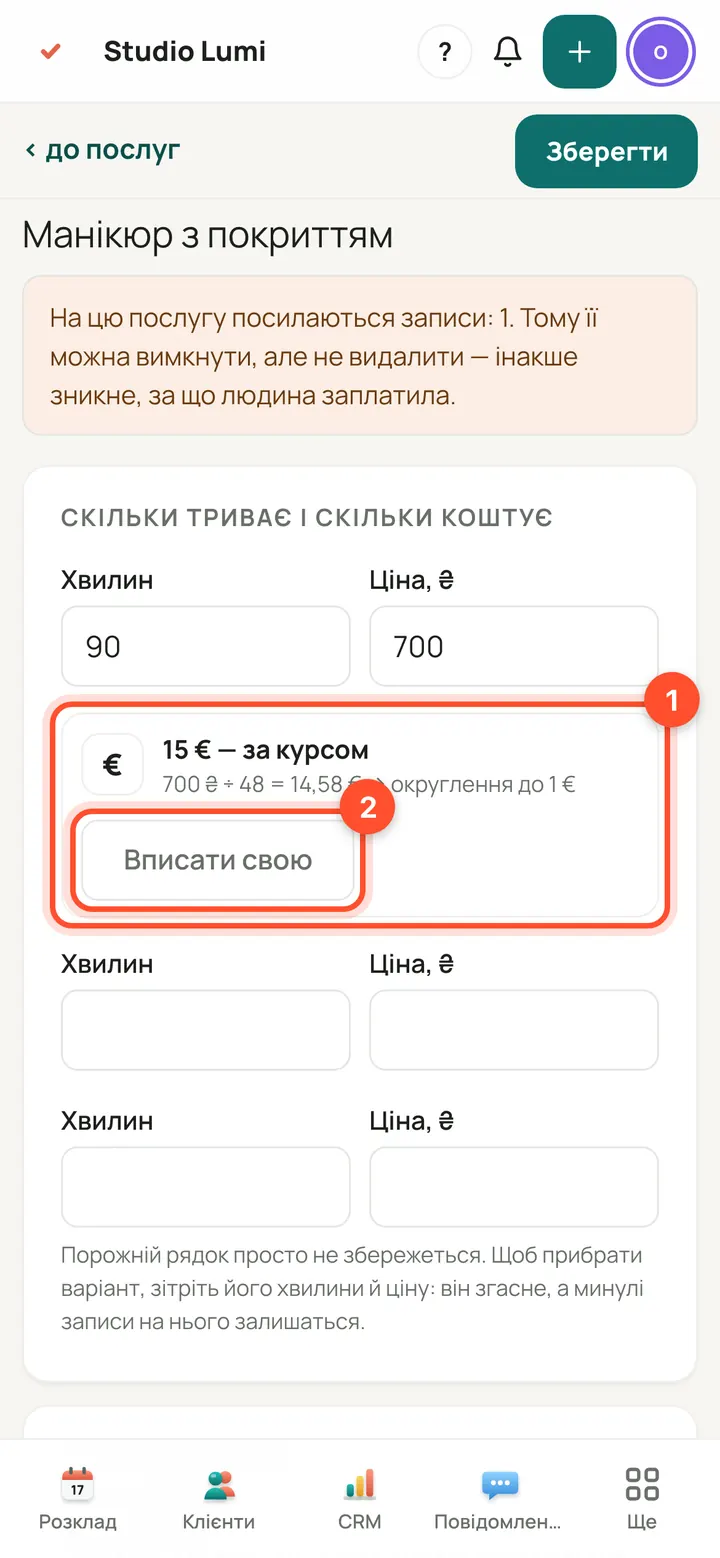
On the service card, under the price, you can see what it comes to in the second currency at the rate. If you want a round price, press “Set your own”: the rate no longer changes it.
What clients see
Clients first see prices in the salon's main currency.
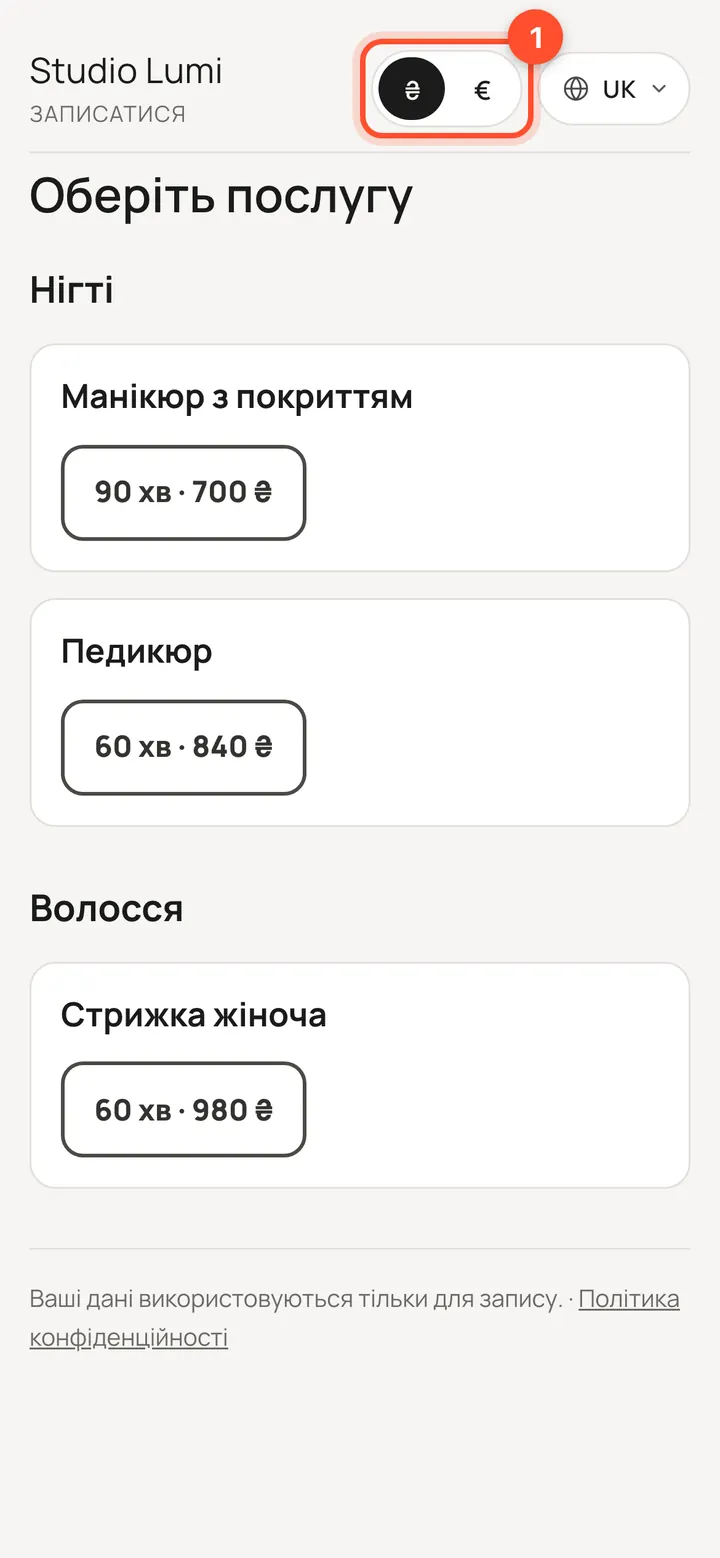
On the booking page a currency switch has appeared next to the language.
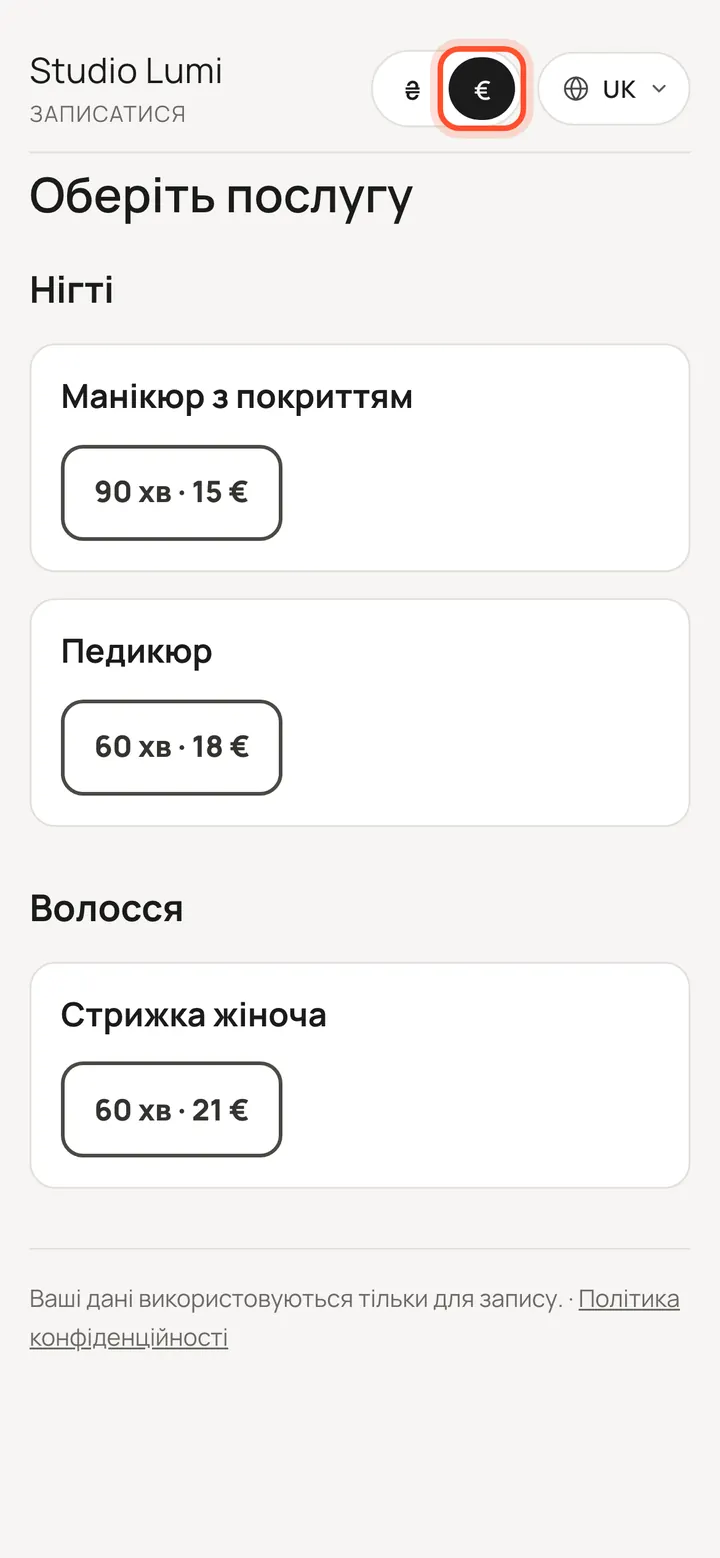
Clients pick a currency and see prices at your rate, or your own prices. The booking keeps the currency and amount as they were when it was made.
Fragen
Who can change the currency?
Only the salon owner. Administrators and specialists do not have the “Currency” button in “Services”.
Are prices converted when I change the main currency?
No. The numbers stay and only the sign changes: in services, past bookings and reports. So it is best to choose the main currency once, at the start, and check your prices after a change.
Does online payment work in the second currency?
It depends on the payment service. Under each currency in “Currencies” you can see which connected services accept it. Paying at the salon is always available.
Probieren Sie es selbst — 14 Tage kostenlos
Alles aus dieser Lektion funktioniert ab dem ersten Tag.
14 Tage kostenlos starten