Specialists: add them for free and give panel access
A specialist without sign-in is free: they are in the schedule and online booking, and you manage their bookings. Panel access is €2 per person per month: you see and confirm the amount before inviting, and the specialist gets an email and chooses their own password.
Add a specialist to the schedule
The specialist appears in the schedule and online booking straight away. They won't sign in to the panel — you or an administrator manage their bookings. It costs nothing.
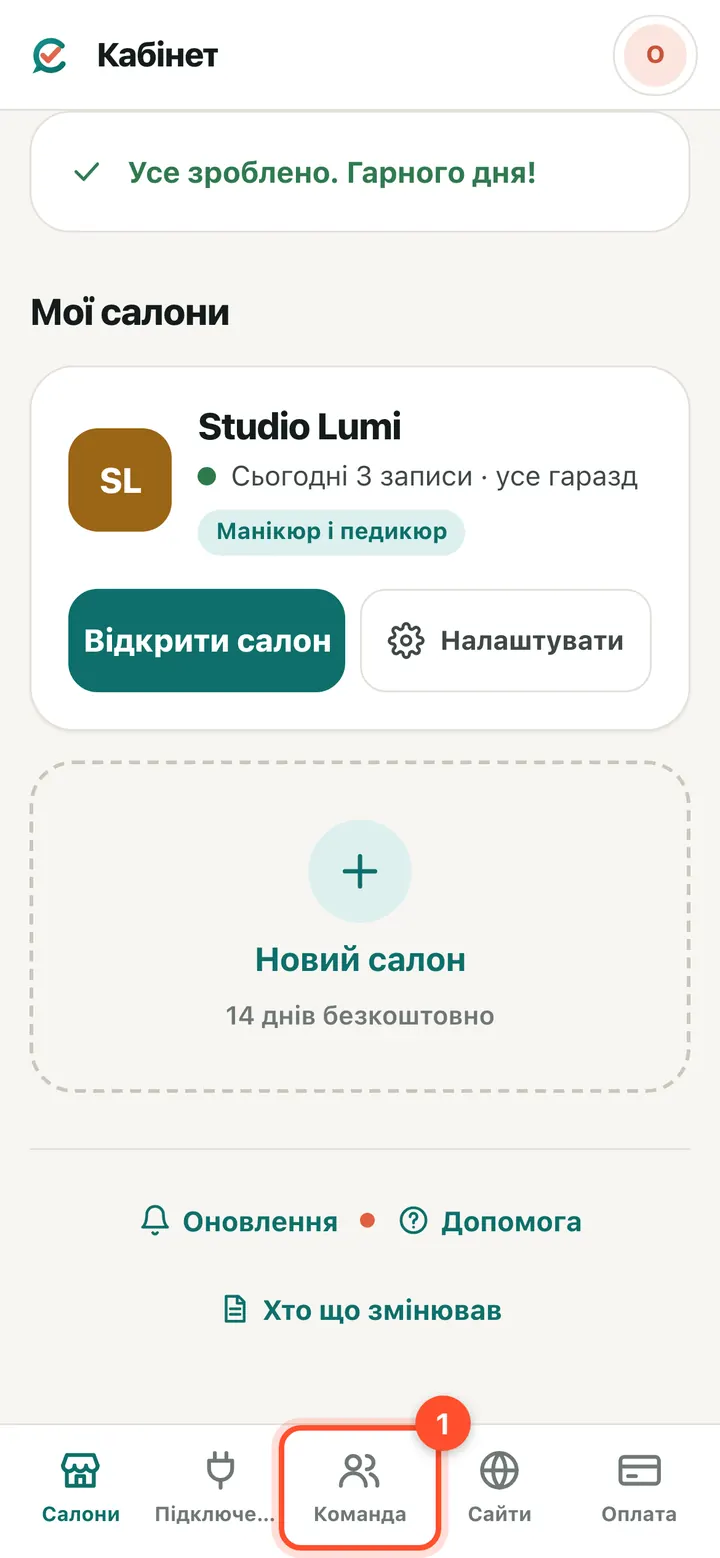
Owner account → “Team”.
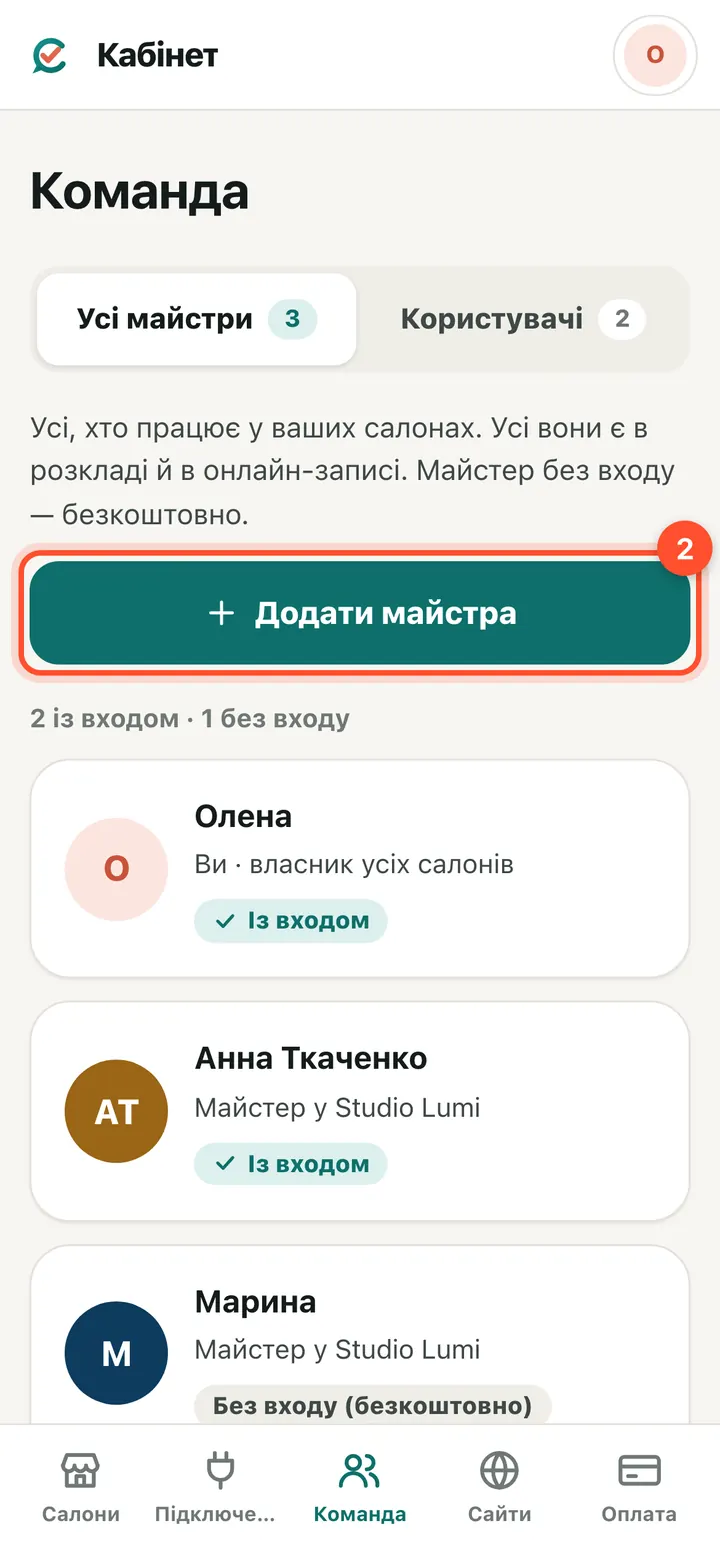
Press “Add specialist”. Everyone is listed here: with sign-in and “No sign-in (free)”.
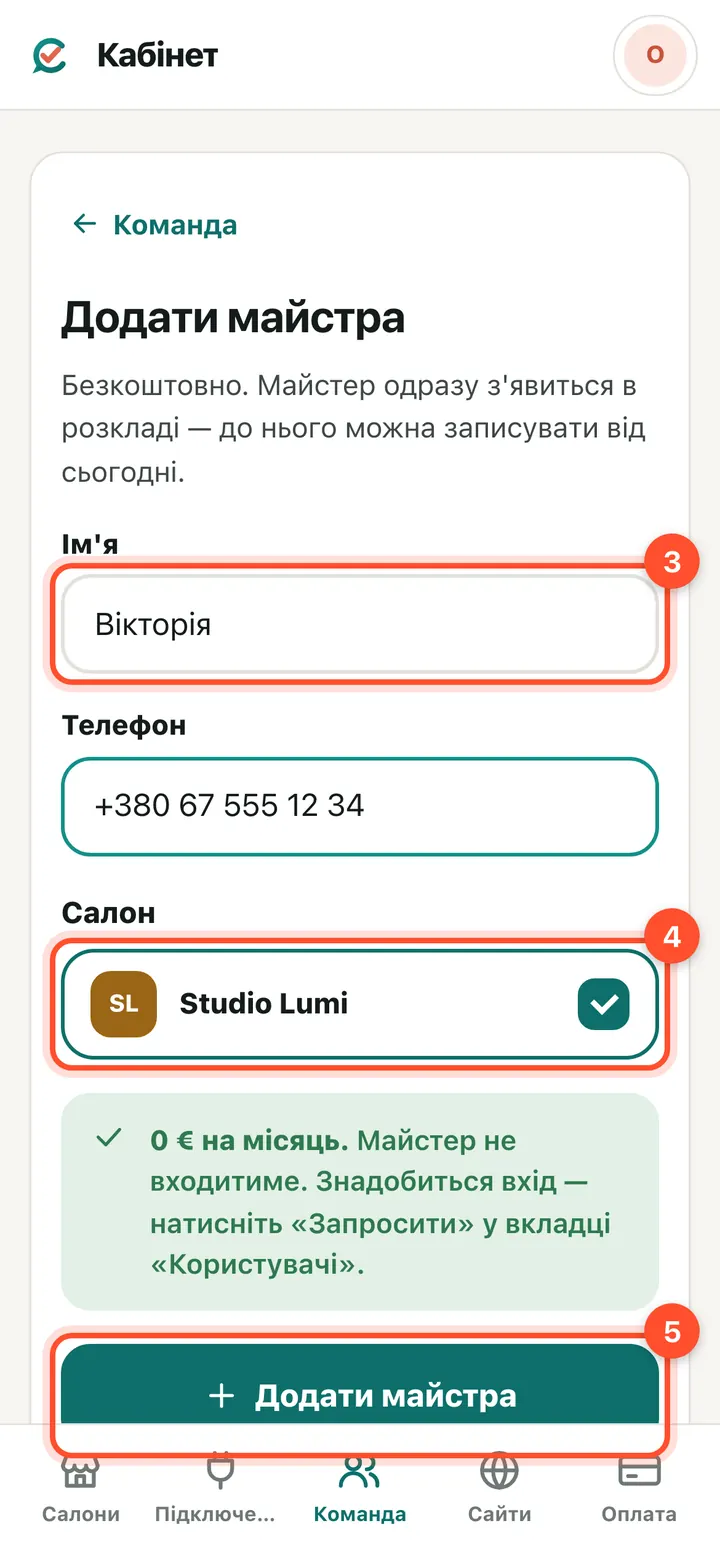
Enter the name and phone, tick the salon and press “Add specialist”. No email is asked here, so there is nothing to pay.
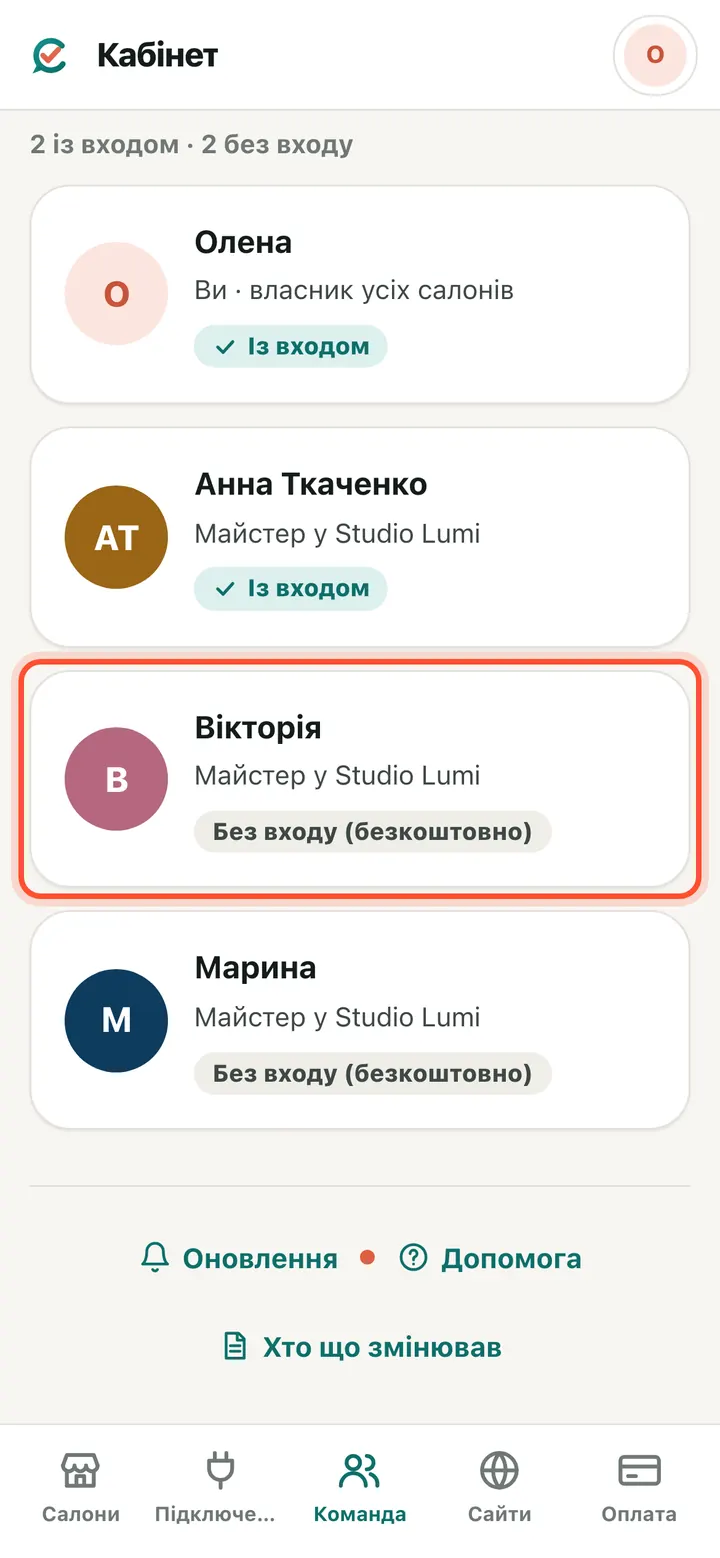
Done: the specialist is in the team marked “No sign-in (free)”. Bookings can be made with them right away — by you in the schedule and by clients online.
Give a specialist panel access
Needed if the specialist checks their own schedule and clients on their phone. Each person with sign-in is €2 a month. You see and confirm the amount before the invitation goes out.
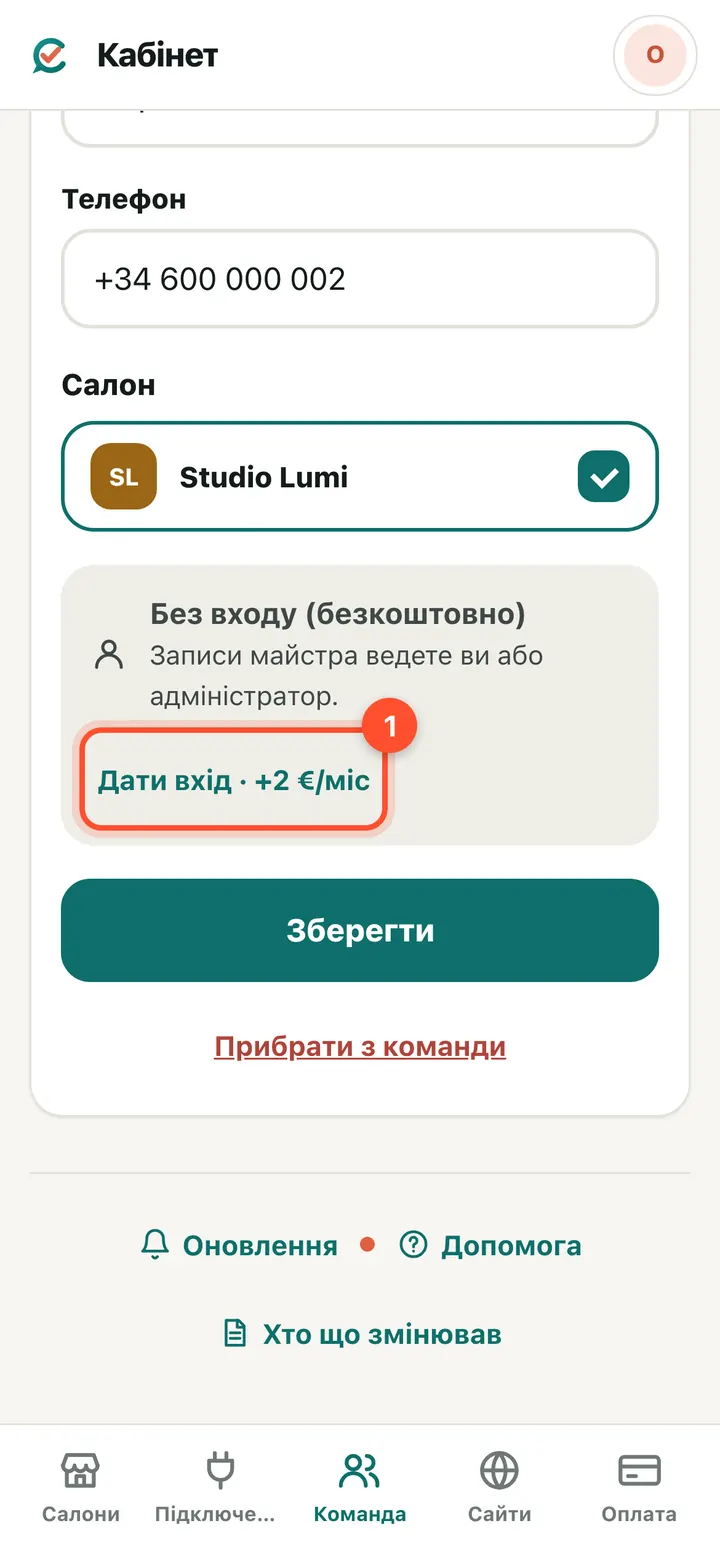
“Team” → open the specialist → “Give sign-in · +€2/mo”.
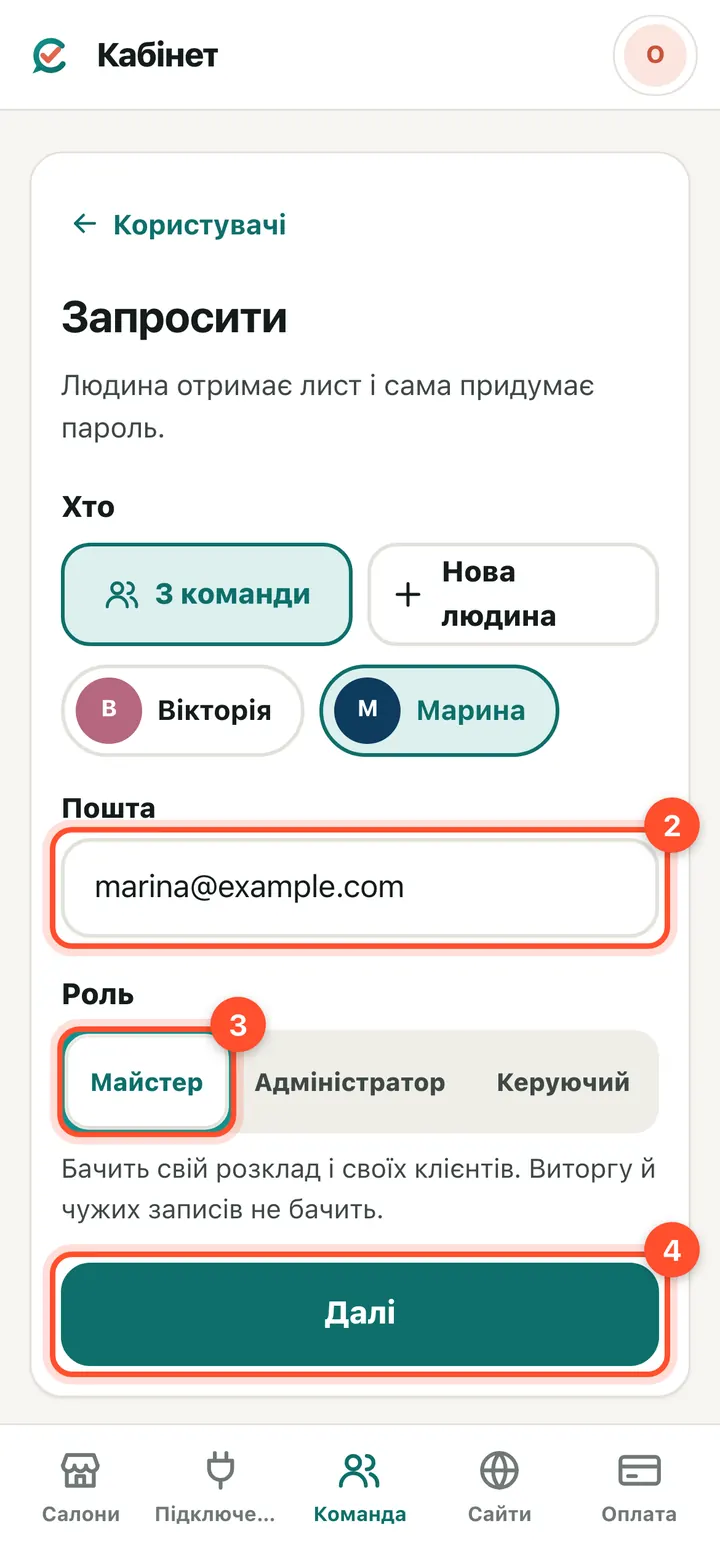
Enter the specialist's email and choose a role (usually “Specialist”). Press “Next”.
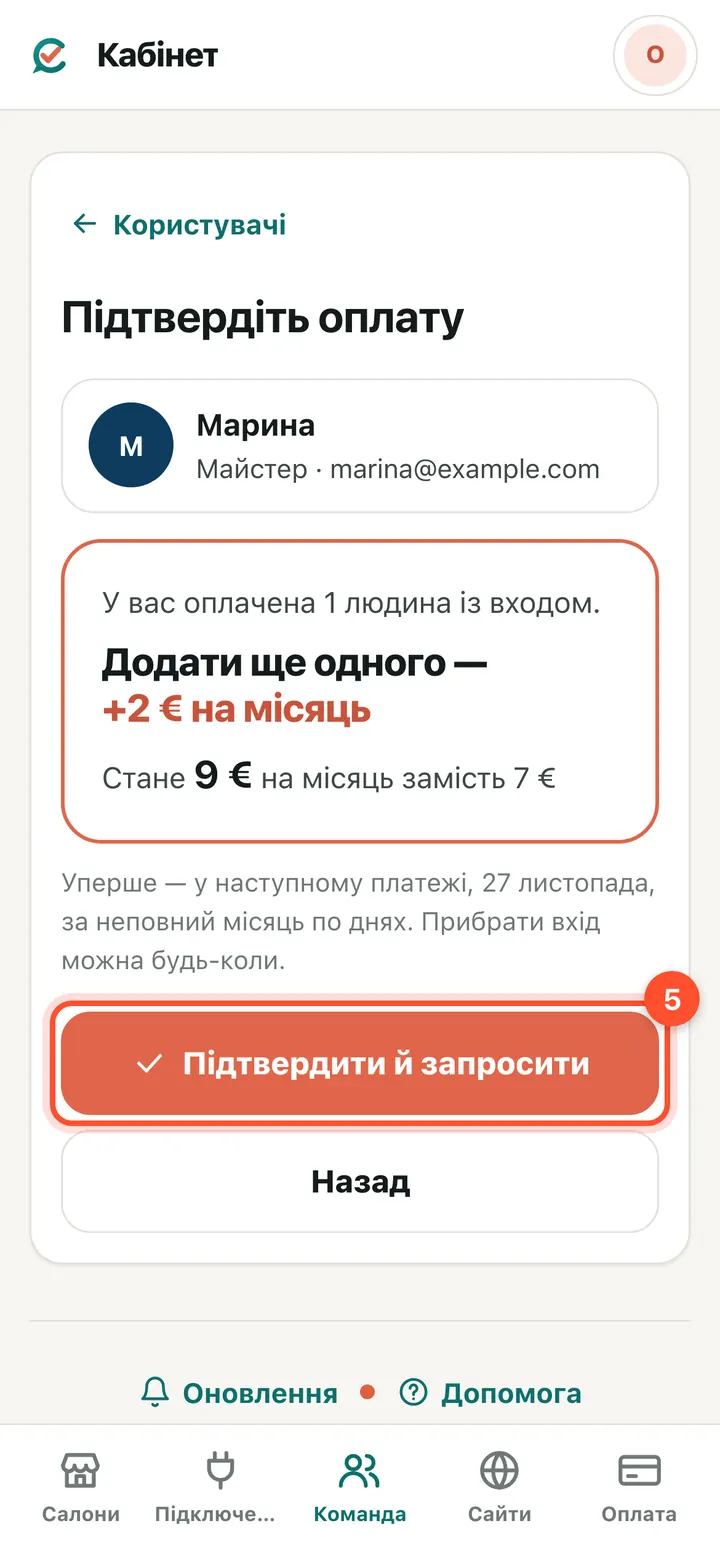
The “Confirm the payment” window shows what you pay now and what it will be. The first charge is in your next payment, pro-rated by day. Press “Confirm and invite”.
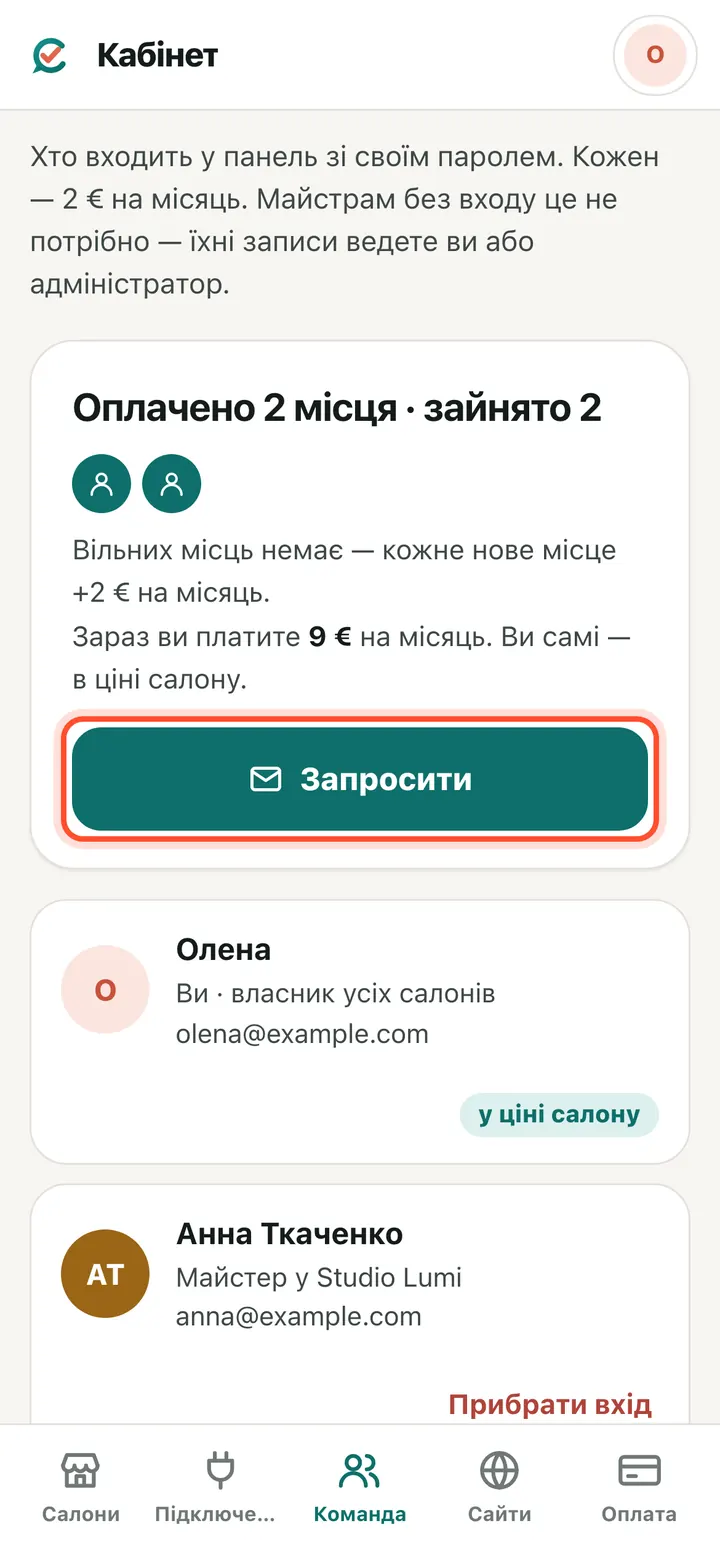
The invitation has been emailed. The “Users” tab shows who signs in to the panel and how many seats are paid.
What the specialist does
Show this to the specialist: the email, one sign-in with the button, their own password — and from then on they sign in on their own.
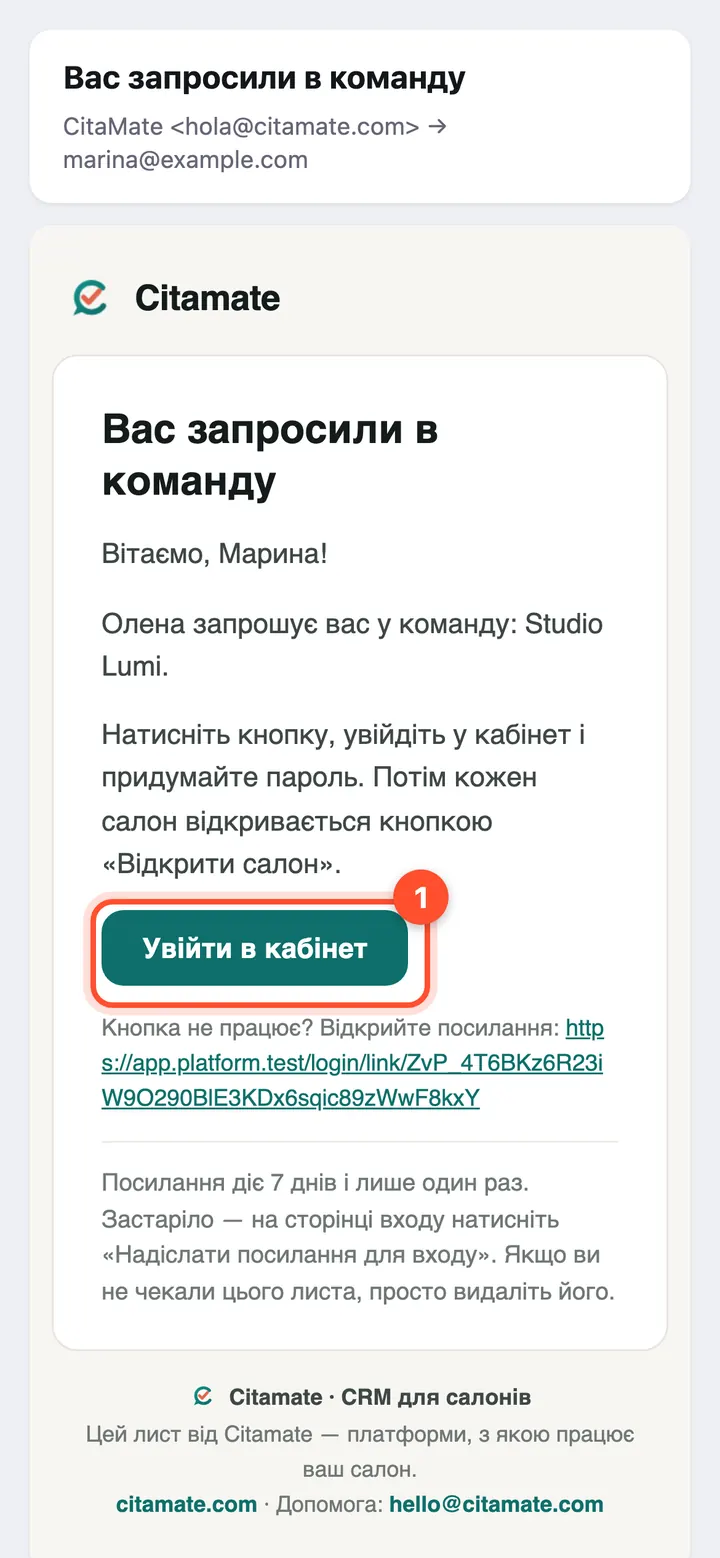
The specialist gets an email inviting them to the team, with a “Sign in” button. The link works once, for 7 days.
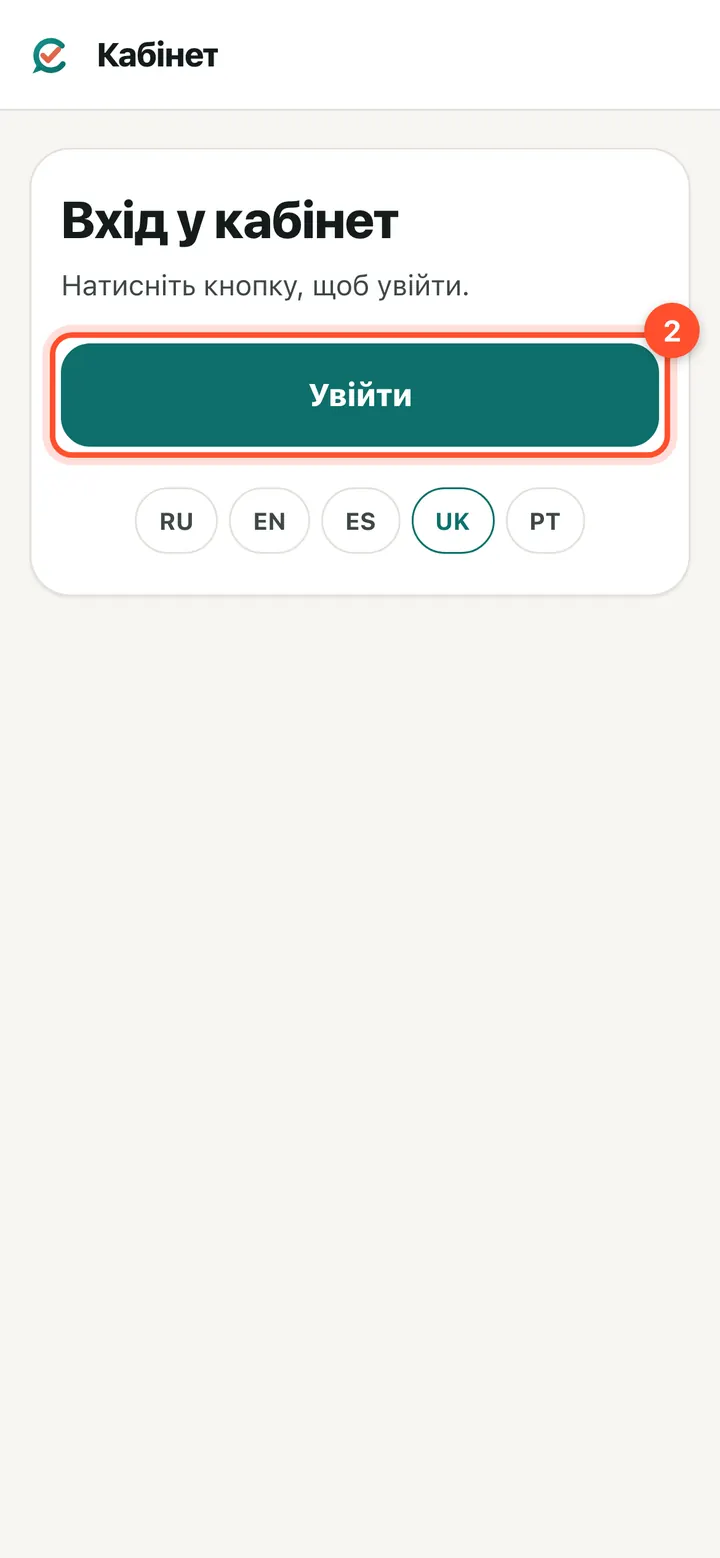
“Sign in to your account” opens — press “Sign in”.
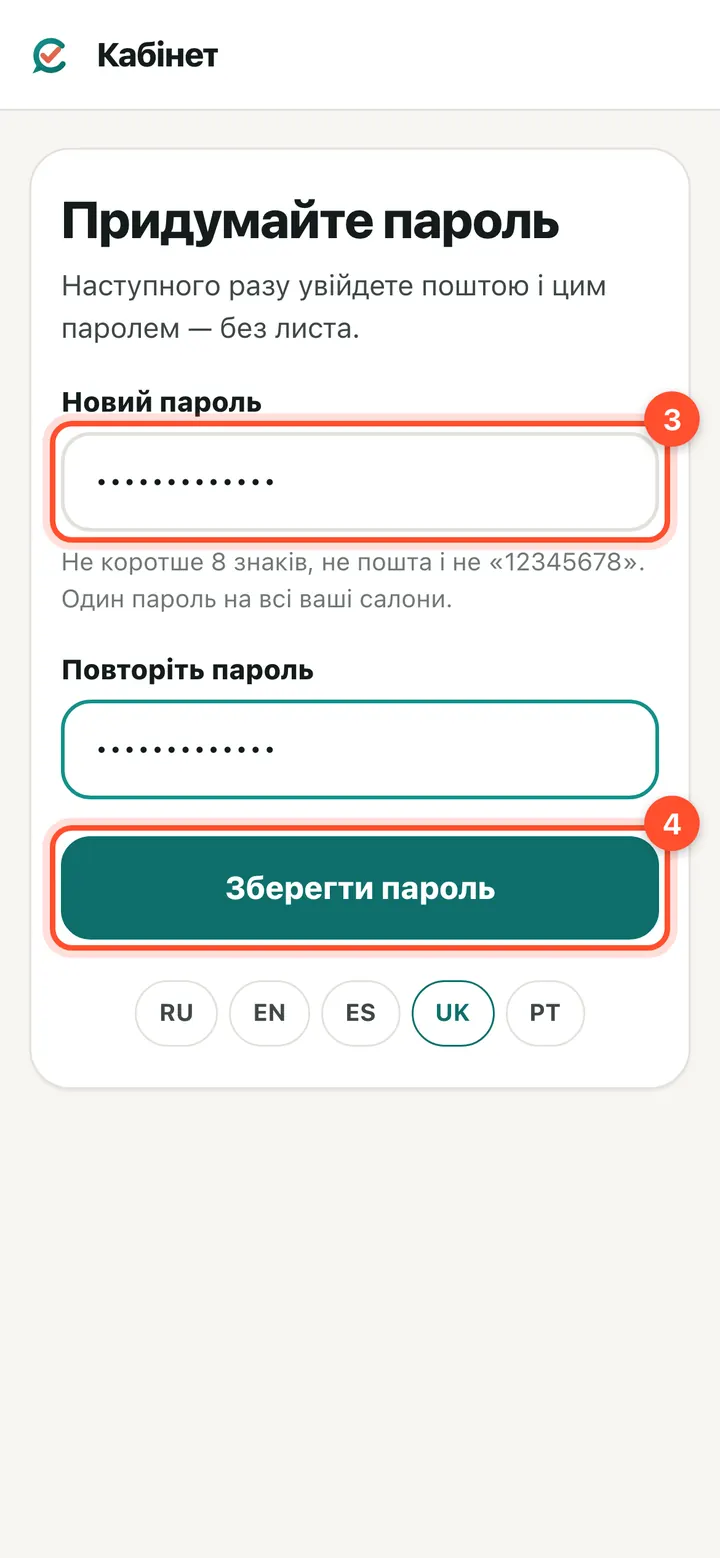
Choose a password and press “Save password”. From now on: sign in with email and this password, no email link needed.
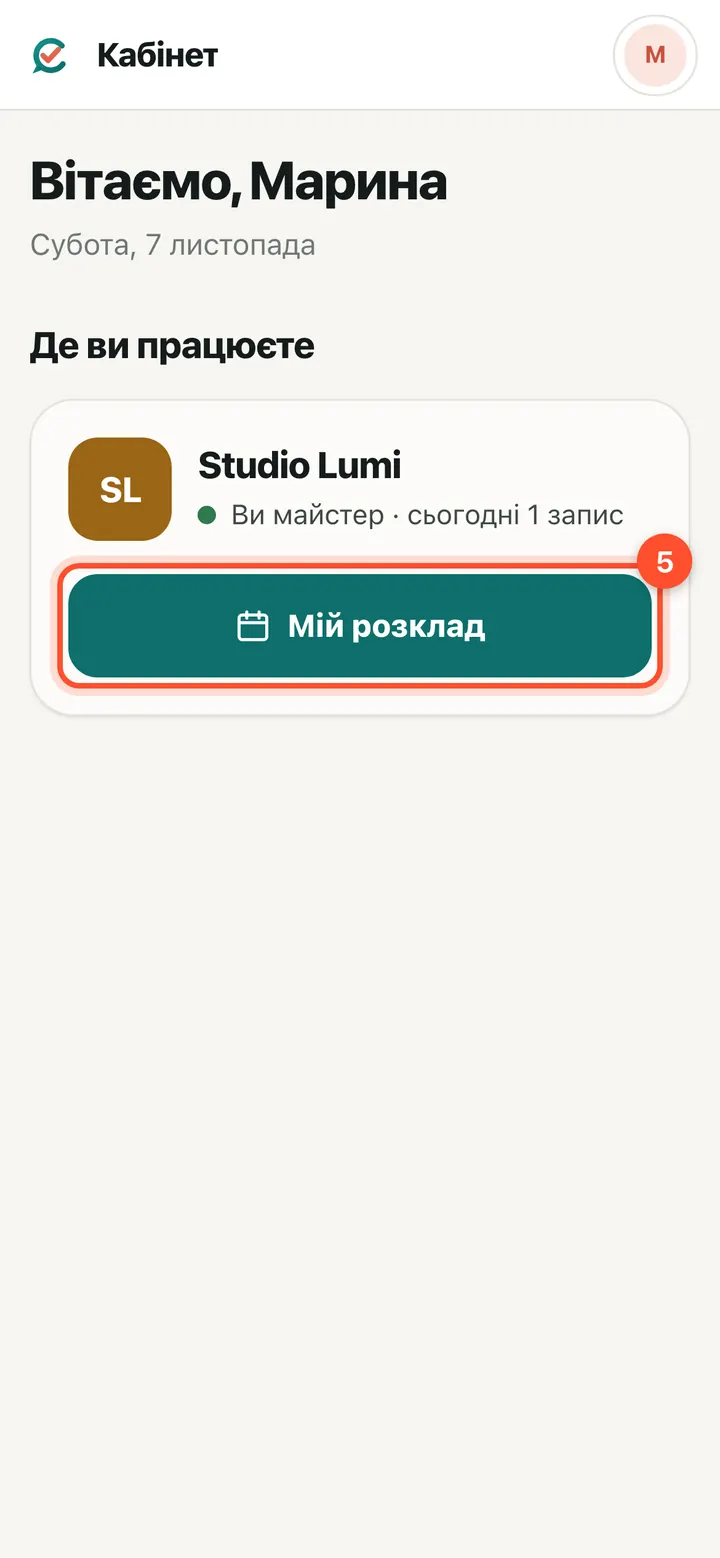
“Where you work” lists the salon with a “My schedule” button.
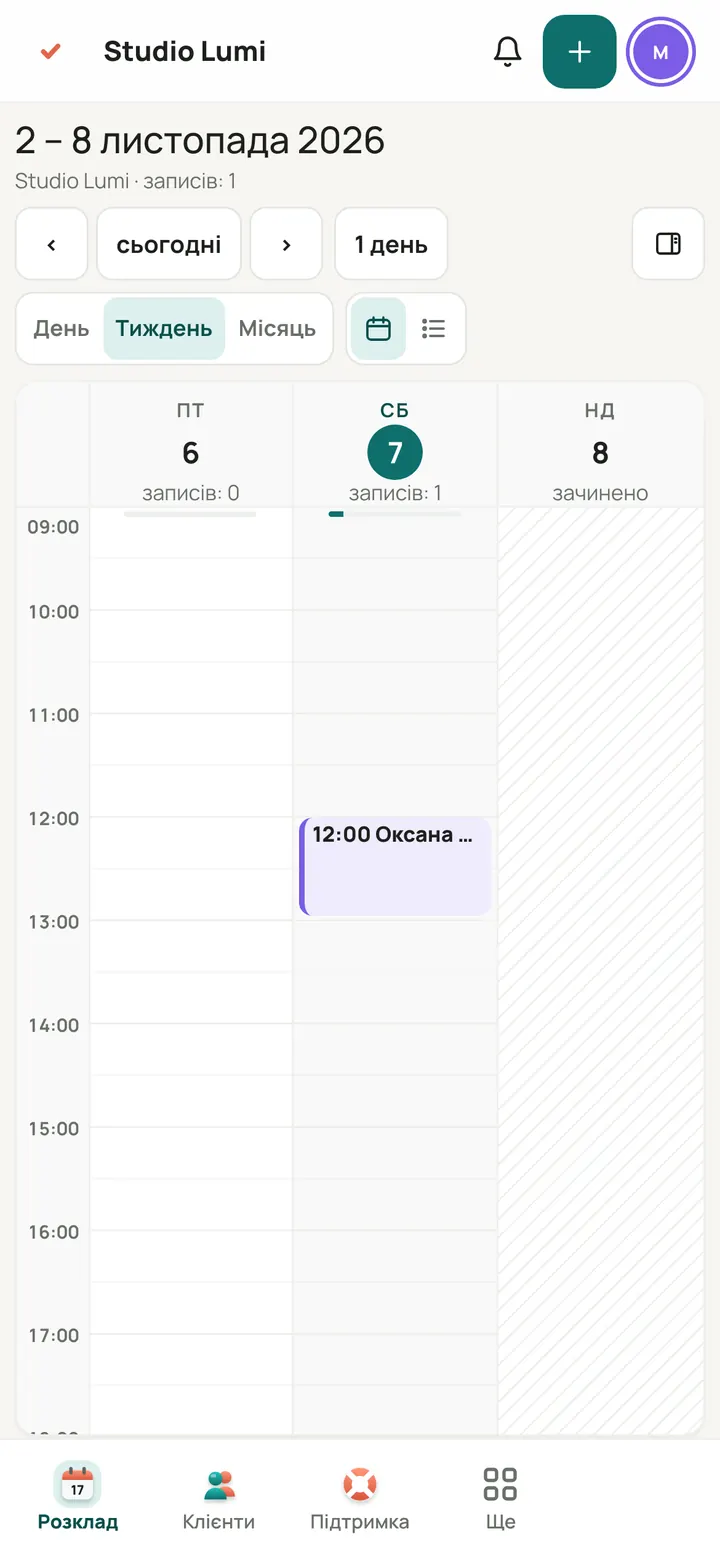
This is the specialist's panel: their own schedule and clients. The “Specialist” role does not see revenue, other people's bookings or salon settings.
What each person can see
Specialist: their own schedule and clients. Administrator: books for everyone, sees phone numbers and revenue. Manager: everything you can, except paying the subscription and closing the salon.
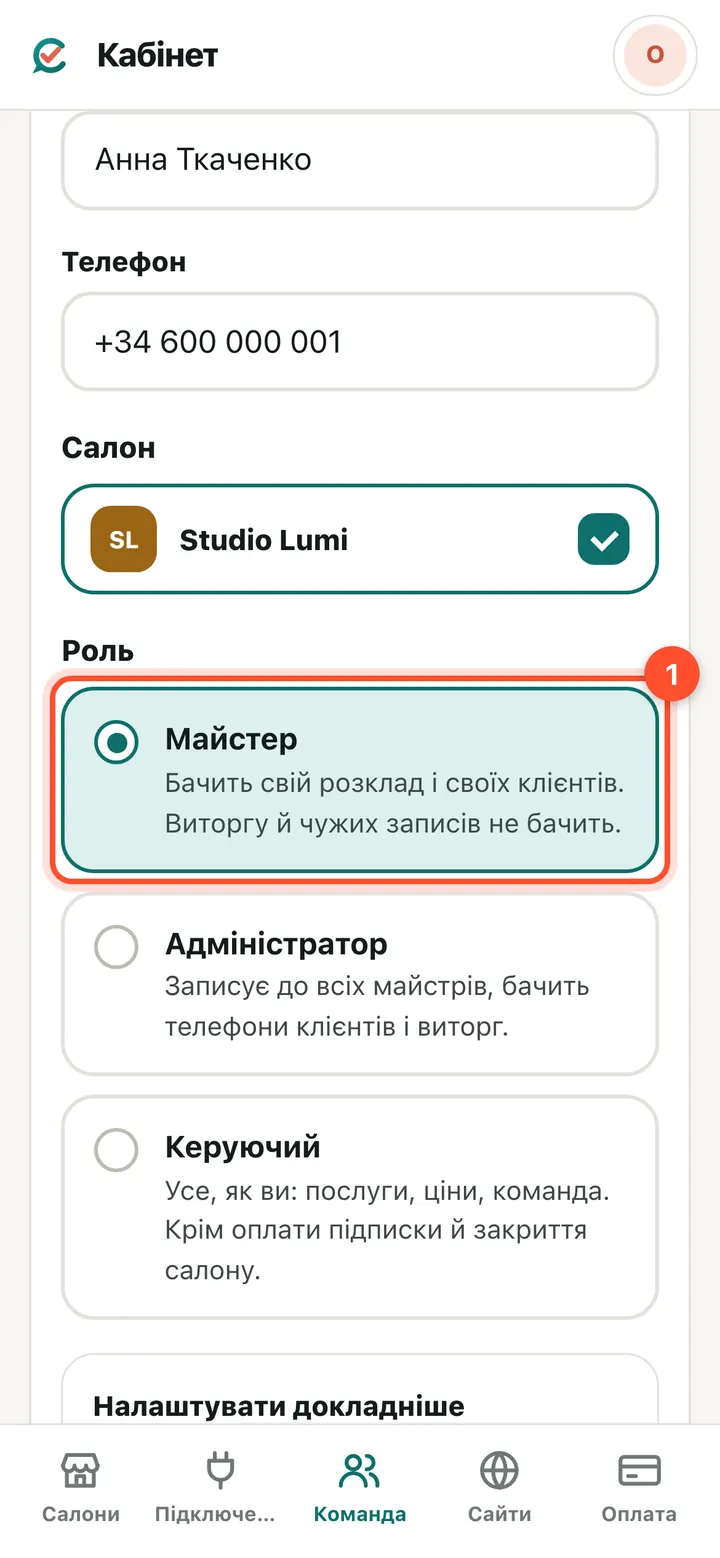
“Team” → a person with sign-in → “Role”. Pick one of the three.
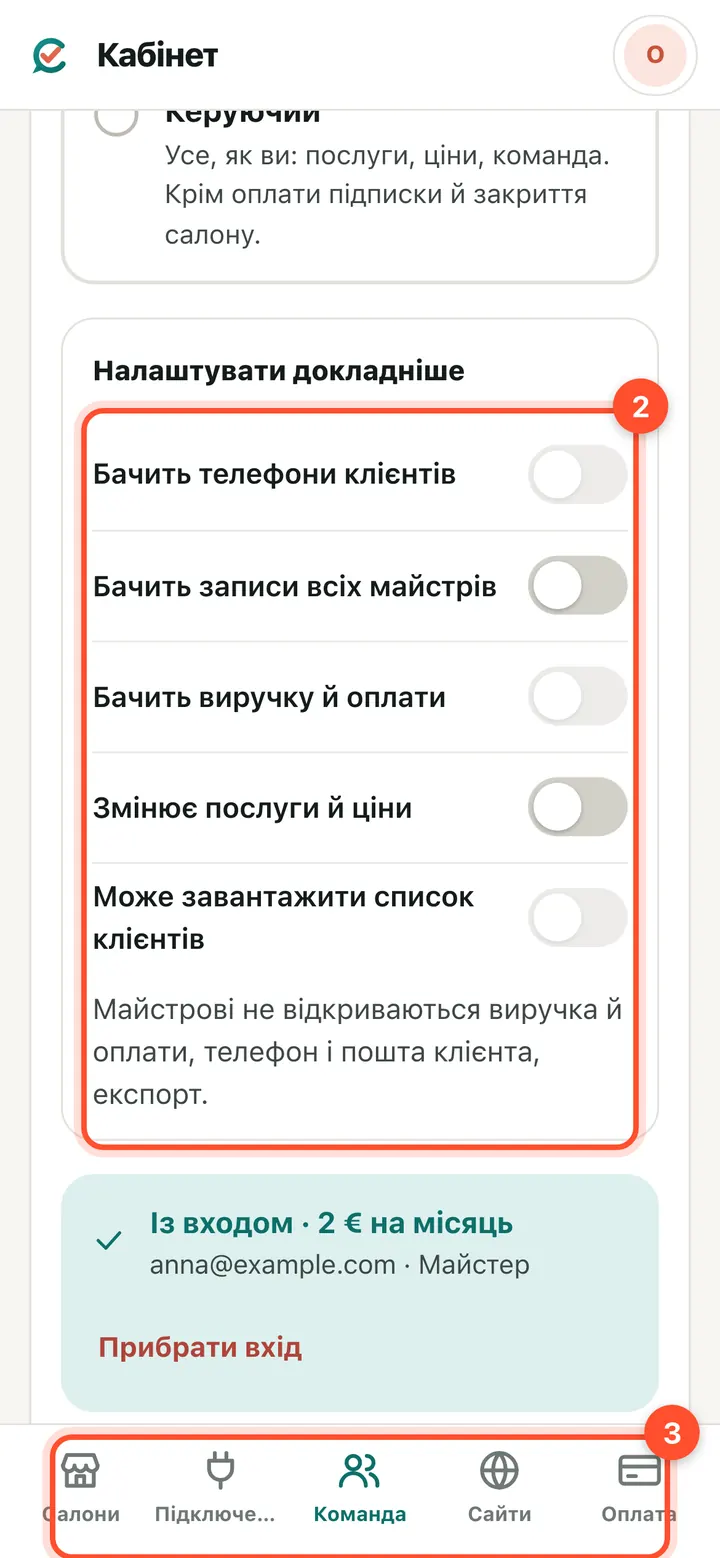
“Fine-tune” gives seven switches: creating and changing bookings (without it a specialist can't book a client, even with themselves), replying to clients in “Messages”, client phone numbers, every specialist's bookings, revenue, services and prices, downloading the client list. Then “Save”.
Remove sign-in or remove from the team
“Remove sign-in”: the person stays in the schedule with their bookings and clients, but can no longer sign in. “Remove from the team”: the person is no longer in the team.
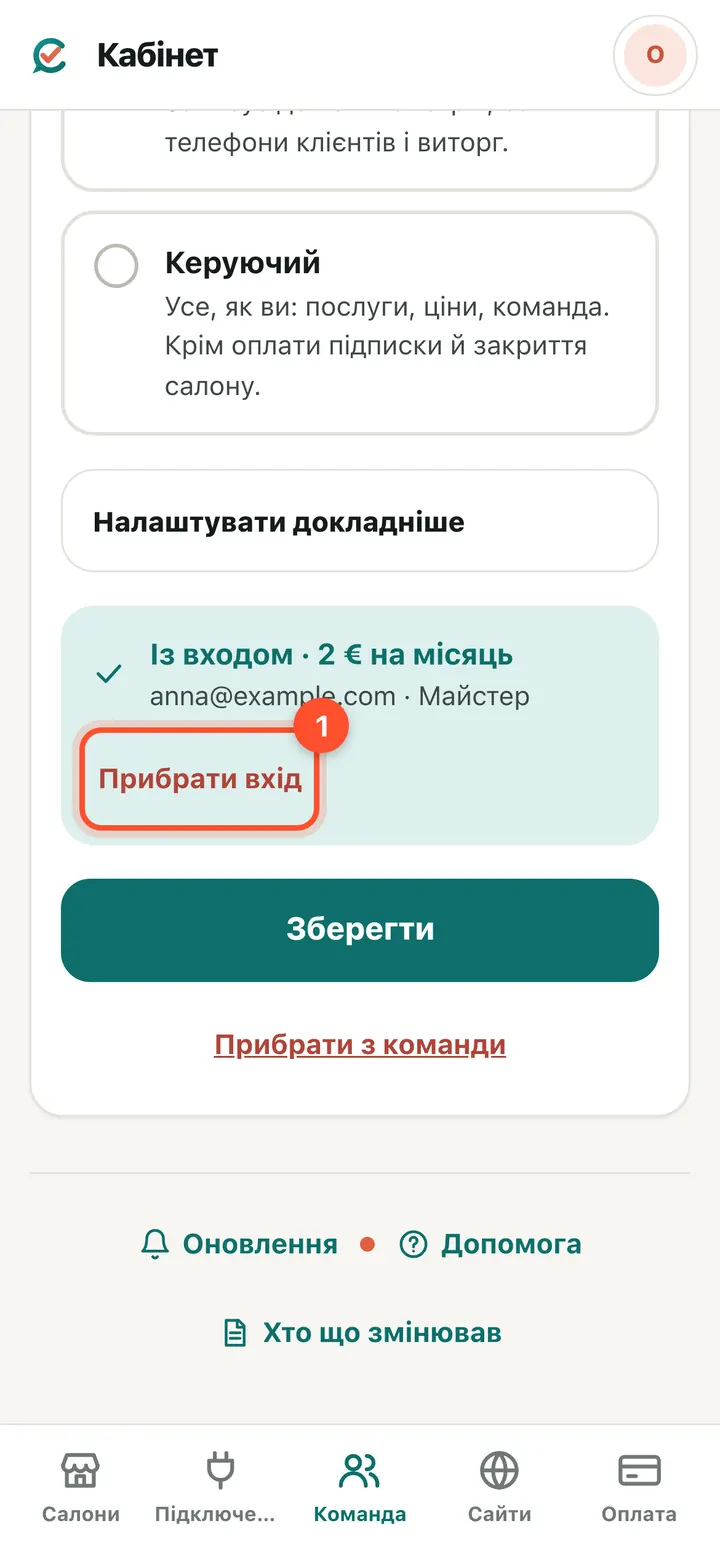
The person's card → “Remove sign-in”.
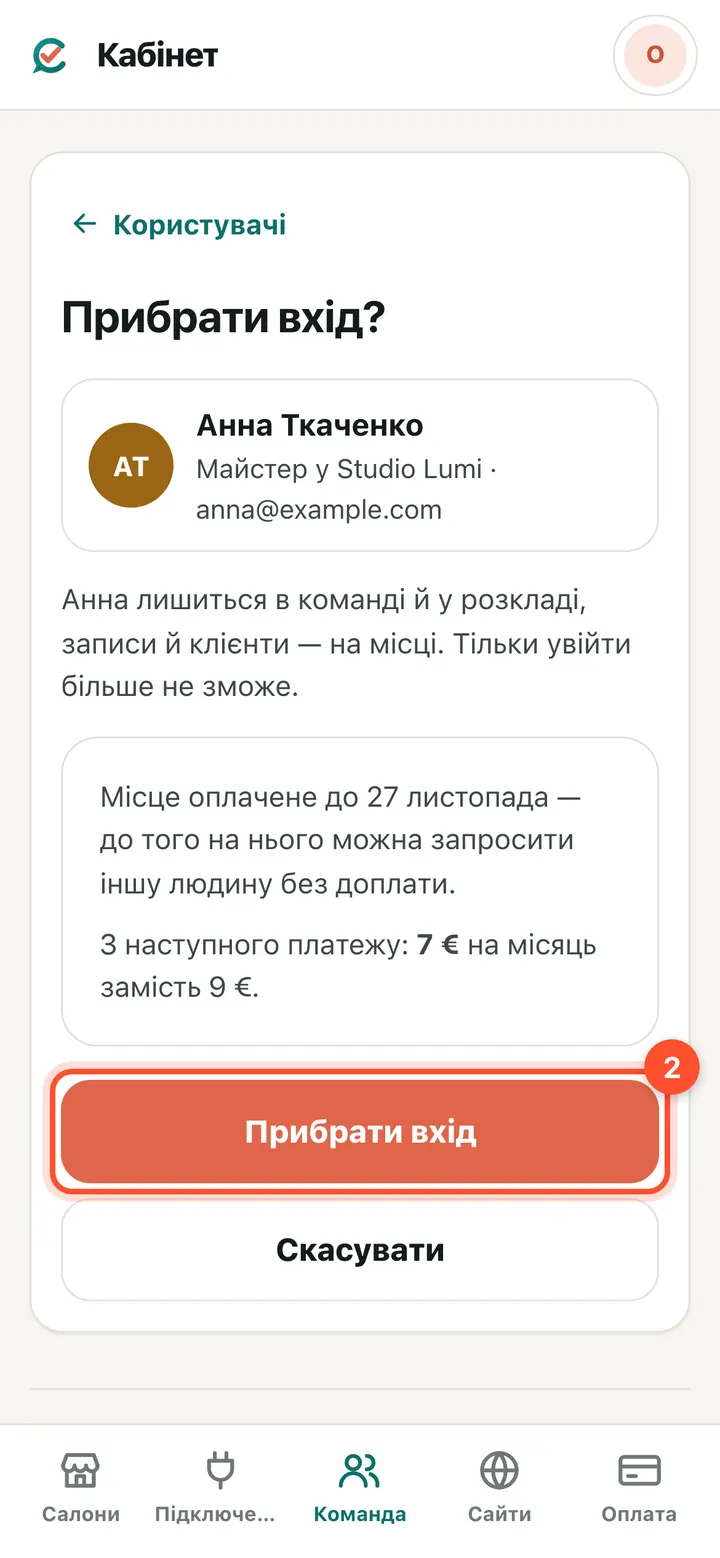
The window shows the date the seat is paid until: before then you can invite someone else to it at no extra cost. From the next payment the amount goes down. Press “Remove sign-in”.
The same from the salon panel
If you are in the salon panel rather than the owner account, use the “Team” menu. Same rules: no sign-in is free, sign-in needs the amount confirmed.
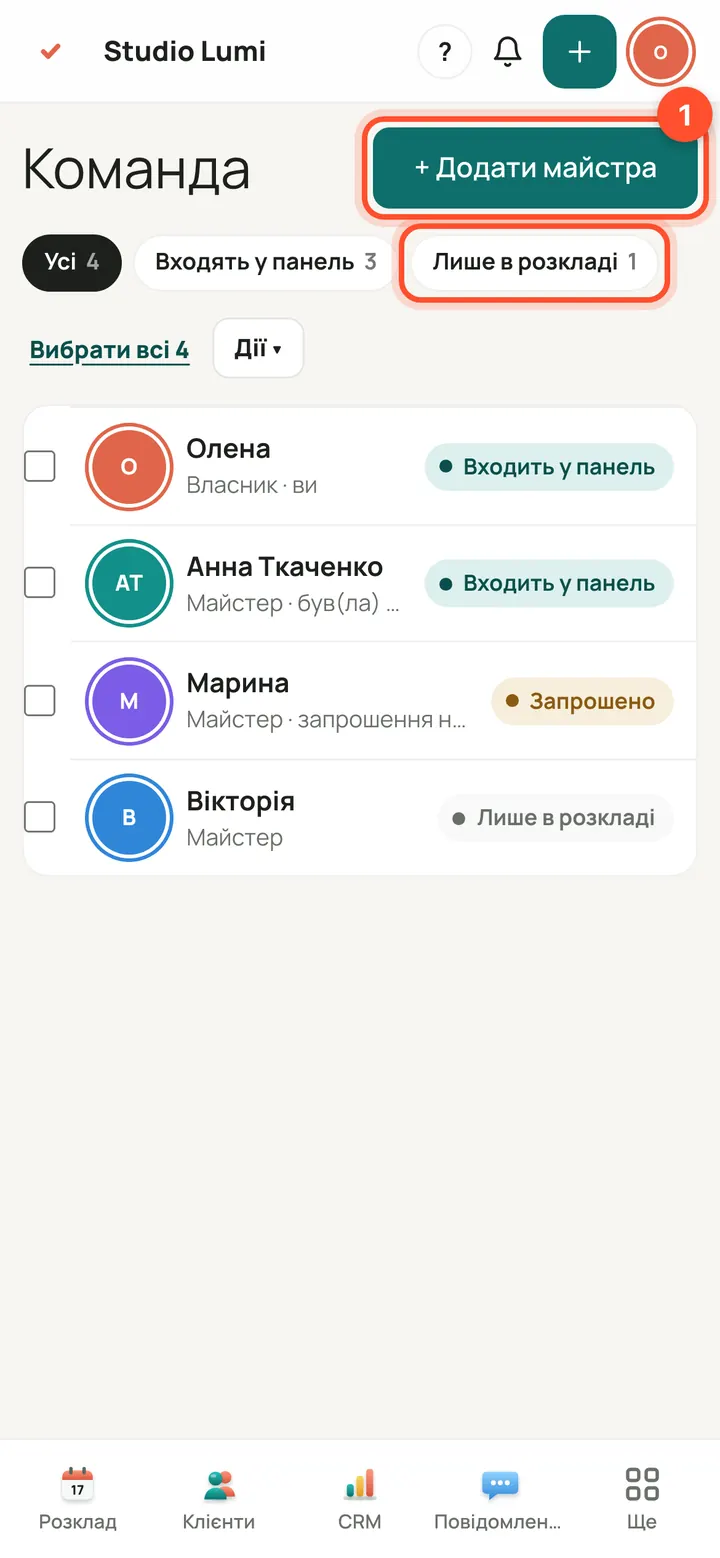
Panel → “Team” → “+ Add a team member”. The “Schedule only” filter shows who has no sign-in.
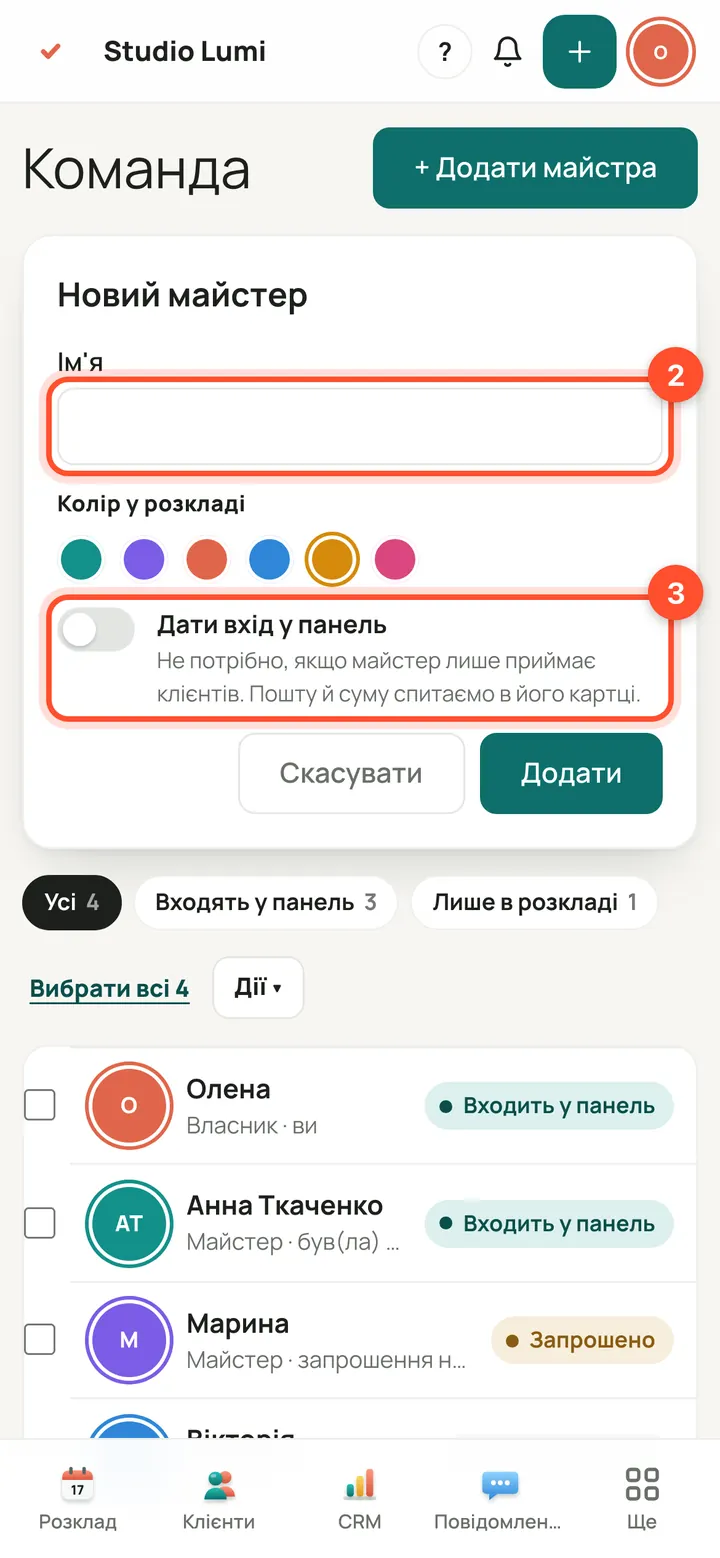
Name and colour in the schedule. Leave “Give panel access” off if the specialist only sees clients.
Questions
How much does a specialist cost?
Without sign-in: €0. With panel access: €2 per person per month until 13 January 2027, €3 from 14 January 2027. You yourself are included in the salon price. The “Confirm the payment” window always shows the exact amount before you invite.
Does a specialist need sign-in to get bookings?
No. A specialist without sign-in is in the schedule and online booking, and clients book with them as usual. Sign-in is only needed if they check their own bookings.
The specialist works in two of my salons — do I pay twice?
No: one person, one seat. Tick both salons on their card and there is no extra charge.
The email didn't arrive
Ask them to check the spam folder. The link lasts 7 days; if it has expired, the sign-in page at app.citamate.com has “Email me a sign-in link”.
I removed sign-in — do I get money back?
There is no refund, but the seat stays paid until the payment date and is free: you can invite someone else to it at no extra cost. From the next payment the amount goes down.
We are on the free trial — do we pay too?
No. During the trial sign-in is free and the window says so; after it, each person with sign-in is charged at the price above.