Podology: foot diagram, photos and AI review
The treatment course in the client card, % improvement for every photo and before / after for the client.
Where to find it in the panel: Clients → client card → “Podology”
Podology in the client card
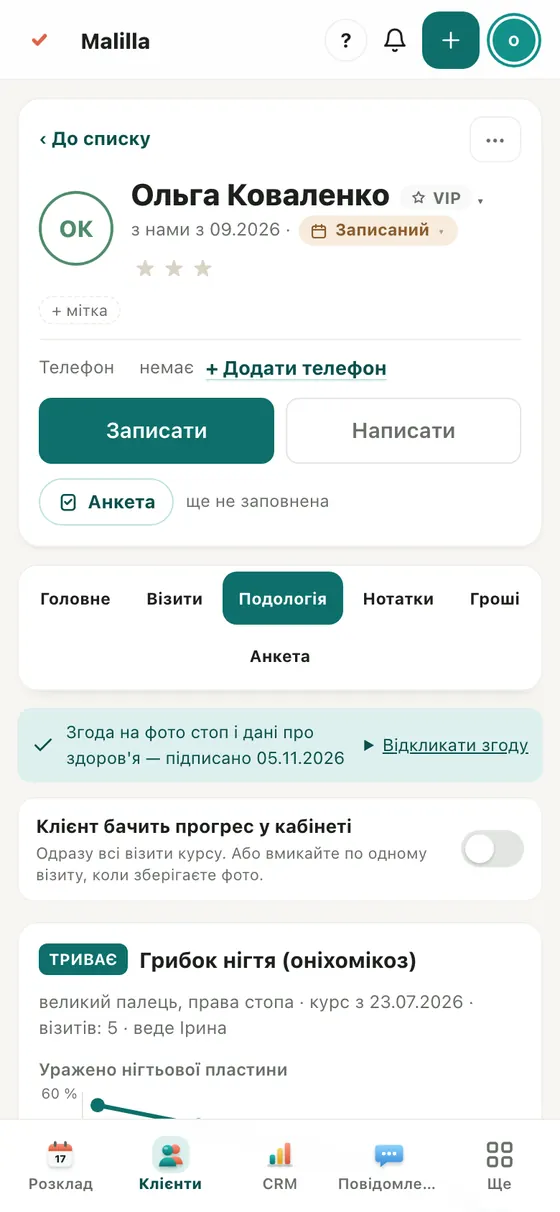
A dedicated tab for podology salons: the treatment course, every visit and a chart of how the nail changes visit by visit.
Mark the area on the diagram
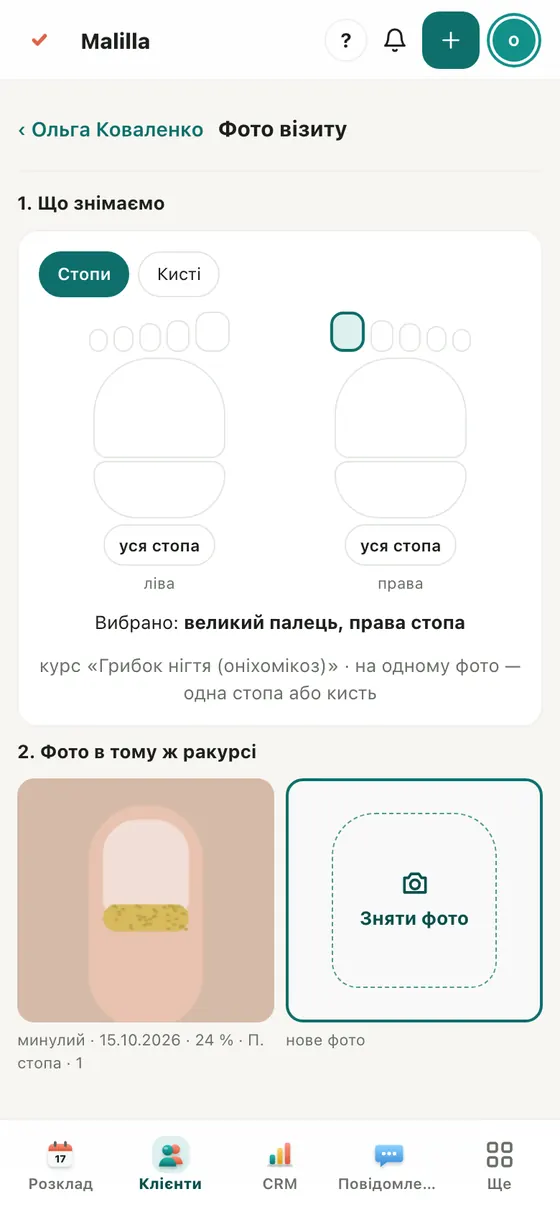
Tap the toe or finger on the foot or hand diagram. Next time the area is already selected, so you shoot the same spot.
AI reads the photo instantly
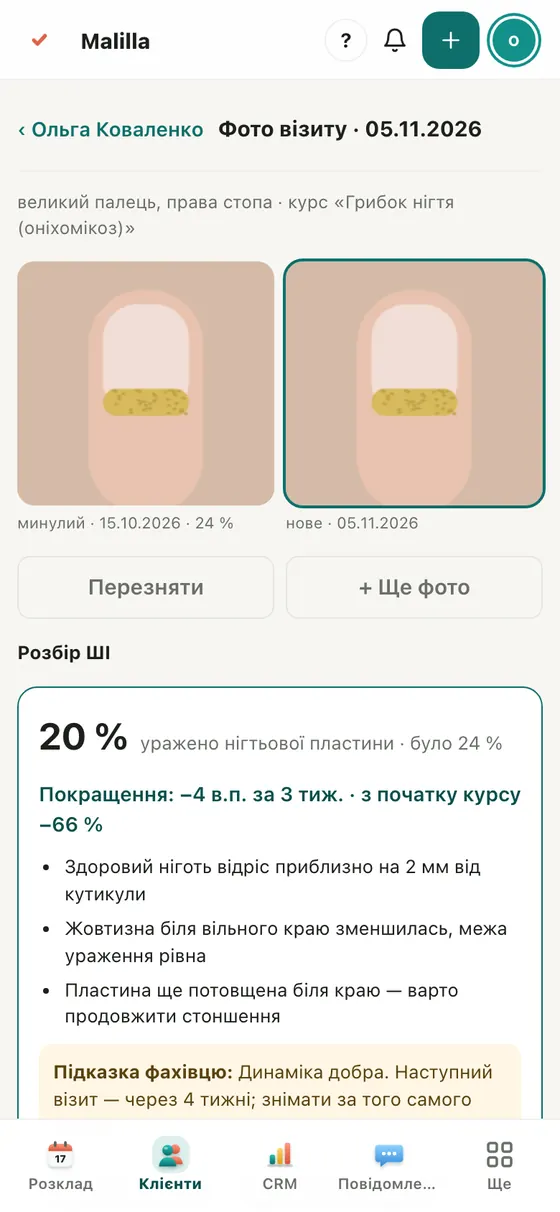
Take the shot inside the same-angle frame — in a couple of seconds you get the % affected and tips. You can edit the findings.
Before / after in one swipe
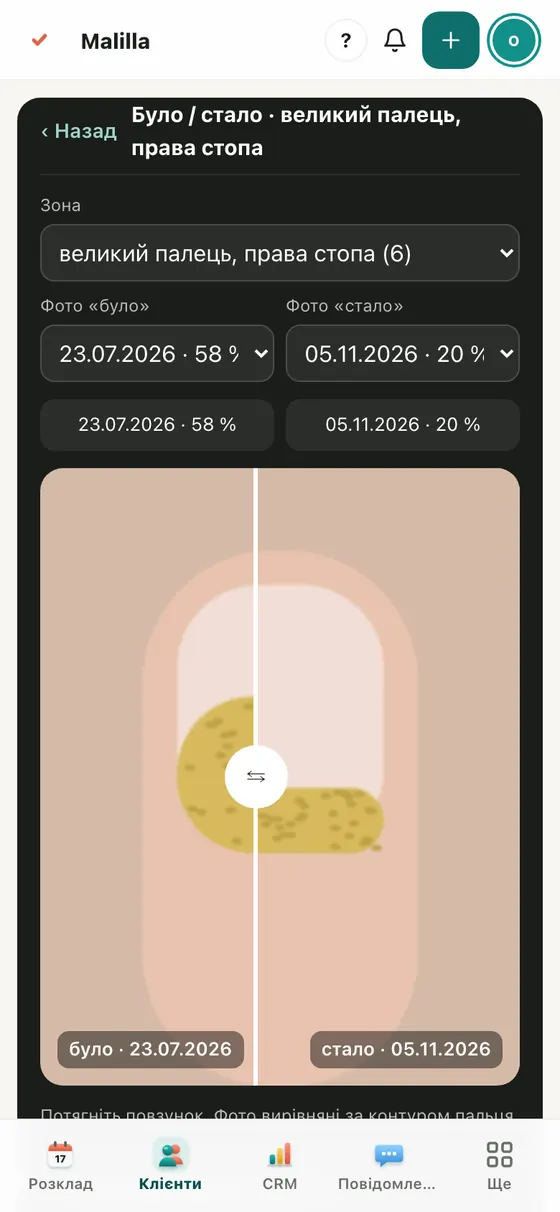
Drag the slider: the first and latest visits are aligned along the nail outline. Send it to the client with one tap.
Clients see their progress
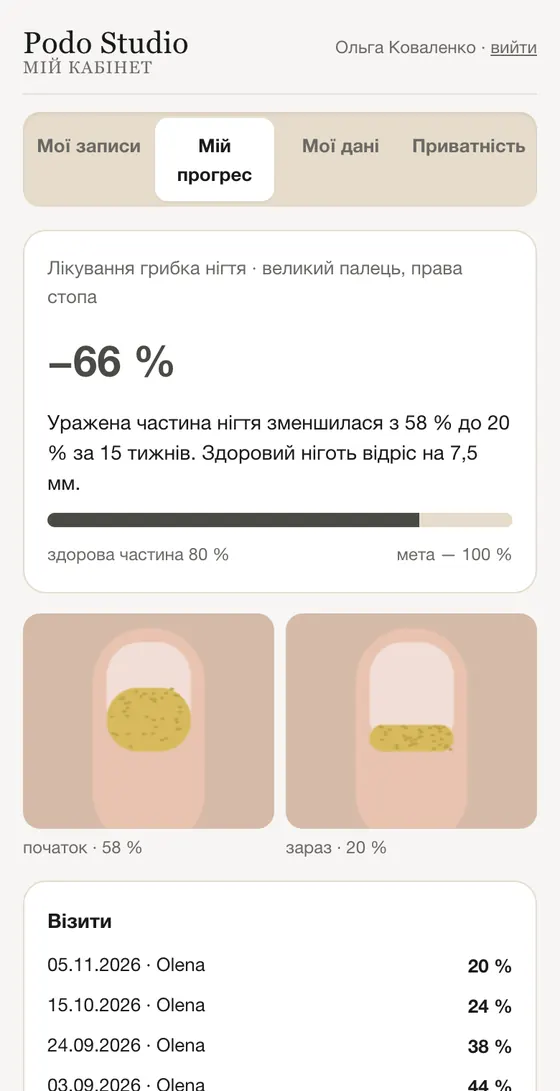
Turn on “client sees progress” and their account gets “My progress” with photos and percentages.